Build SaaS Explainer Videos with a few clicks

Create quick, shareable walkthroughs, then publish as clickable flows or narrated videos.

Built Into haus video

The Explainer, a walkthrough recorder and editor

A browser extension connects to the haus video API, recorder pipeline, and authoring editors while capturing clicks, navigation, button interactions, modals, and user input flow on any site. This is not AI-driven generation: the system reads DOM ids/classes and button text to synthesize titles and step-by-step visuals. When synthesis gets something wrong, Advance Mode lets you remove steps, rewrite captions, add context, and tune zoom. Publish as a clickable HTML walkthrough or generate a narrated video with voice from the same edit pass.

Uses In haus video

  • Chrome extension capture on any site.
  • DOM and text-aware script synthesis from ids/classes and button labels
  • Built for both selling workflows and end-user onboarding guidance
  • Output moat: narrated video rendering from the same walkthrough steps
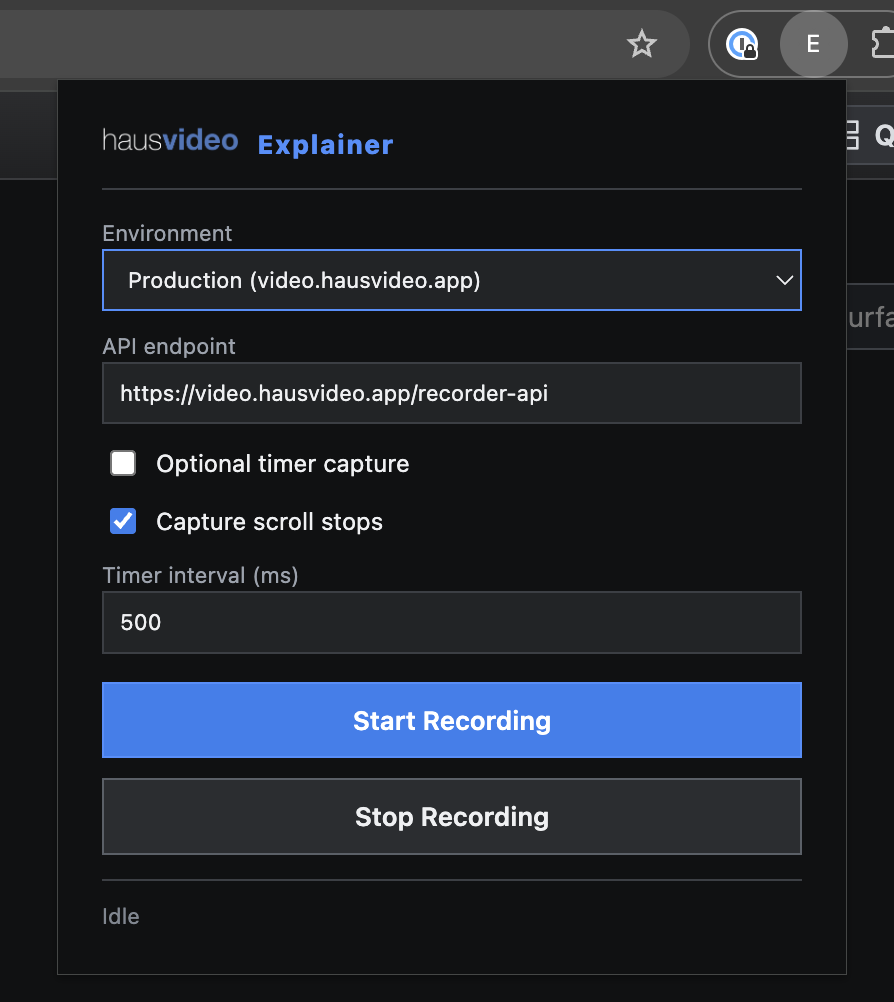
Explainer recorder extension interface.
Product Screenshot

Chrome Extension Capture

This screenshot shows the browser extension used to capture clicks, navigation, and on-page events on any site.

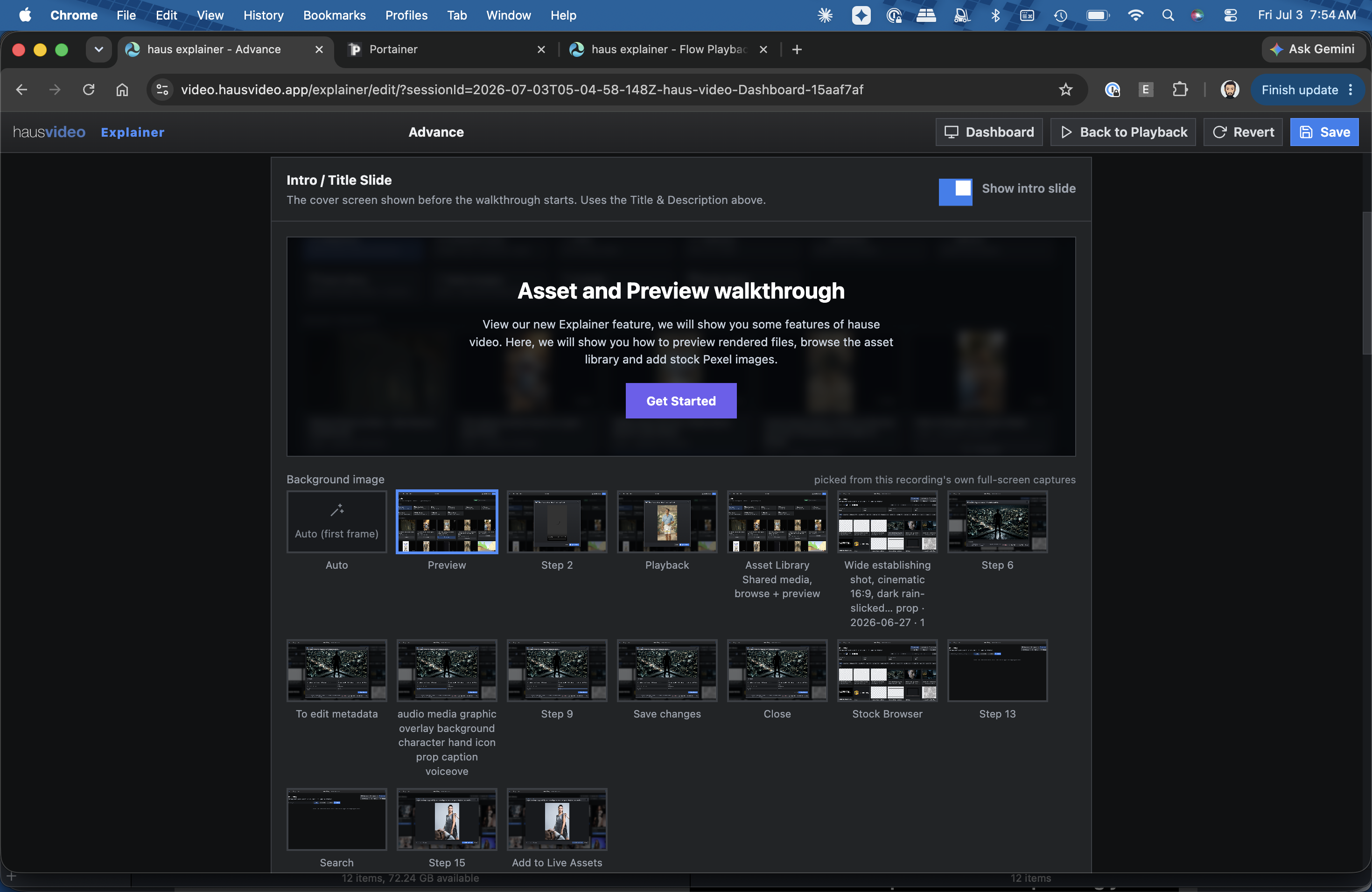
Advance Mode editor with step controls and zoom settings.
Product Screenshot

Advance Editor

This screenshot shows Advance Mode, where steps can be trimmed, relabeled, and tuned with per-step zoom and captions. Users can also add custom intro slides and closing CTA slides, then generate voice narration in the same editing surface.

Two outputs from one source: clickable and narrated

Record once, refine once, then publish in both formats: a shareable clickable walkthrough for guided product learning and a narrated video for fast sales or onboarding distribution.

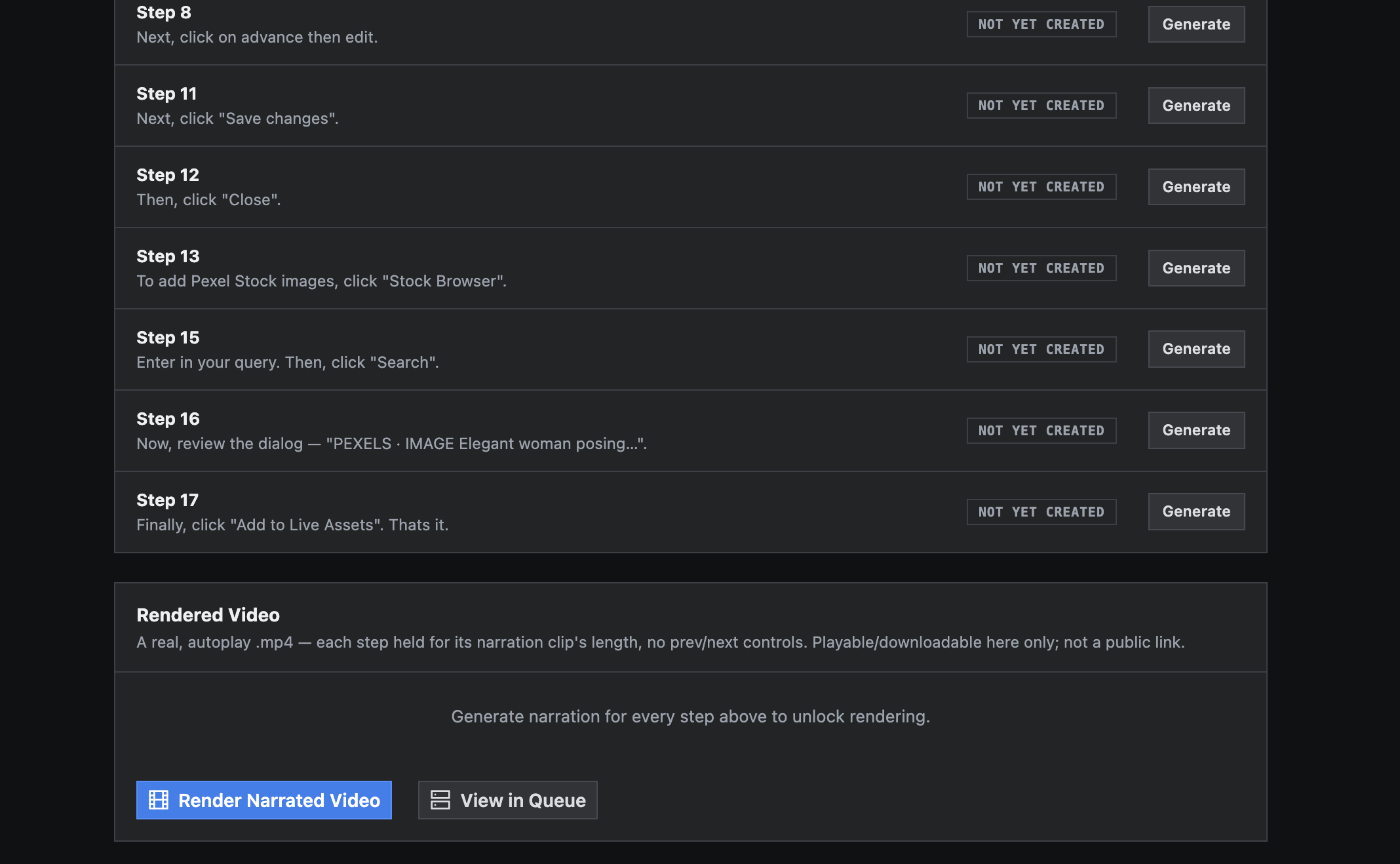
Narrated video render output with voiceover timing and camera zoom highlights.

Or render it as a narrated video

Instead of (or alongside) the Clickable Slideshow, the same walkthrough can render straight to an autoplay .mp4. ElevenLabs is the AI component here: it reads the title, description, and every step instruction aloud, the camera pans and zooms into each click target with a highlight ring, and each shot holds exactly as long as its narration takes. No editor round-trip: it is the same steps and edits already made in Advance Mode.

Uses in haus video

  • ElevenLabs narration: pick a voice and generate narration per step
  • Camera pans and zooms with click-target highlight in real video output
  • Shot duration driven by narration length with no manual timing
  • Render queue with per-step caching so one edited step re-renders fast

Need to show a process without scheduling a live demo?

Record once, polish quickly, then share the walkthrough link with your team or prospects.