
// HAUS ANNOTATOR FOR WORDPRESS
Pre-press annotation — built for WordPress.
Remote proof review for creative and advertising teams. Layers, drawing tools, sticky notes, multi-page PDF — and a fullscreen mode built for the teams who live in this tool.
// WP-ANNOTATOR
A professional pre-press workflow — now native to WordPress.
WP-Annotator brings a production-grade annotation workspace into your WordPress admin — powered by the native Media Library, purpose-built for creative and advertising teams who review image proofs remotely.
Built for the way agencies actually work. The original Annotator was designed for professional pre-press and advertising workflows — a photoshoot wraps in San Francisco, and a creative director in New York marks up selects and prints a contact sheet of changes. That workflow is the DNA of this tool. The WordPress plugin brings it to any team managing image assets in WordPress, without requiring separate infrastructure.
Layer System
Multiple independent annotation layers per project. Show, hide, lock, or rename each layer — exactly like a professional design tool.
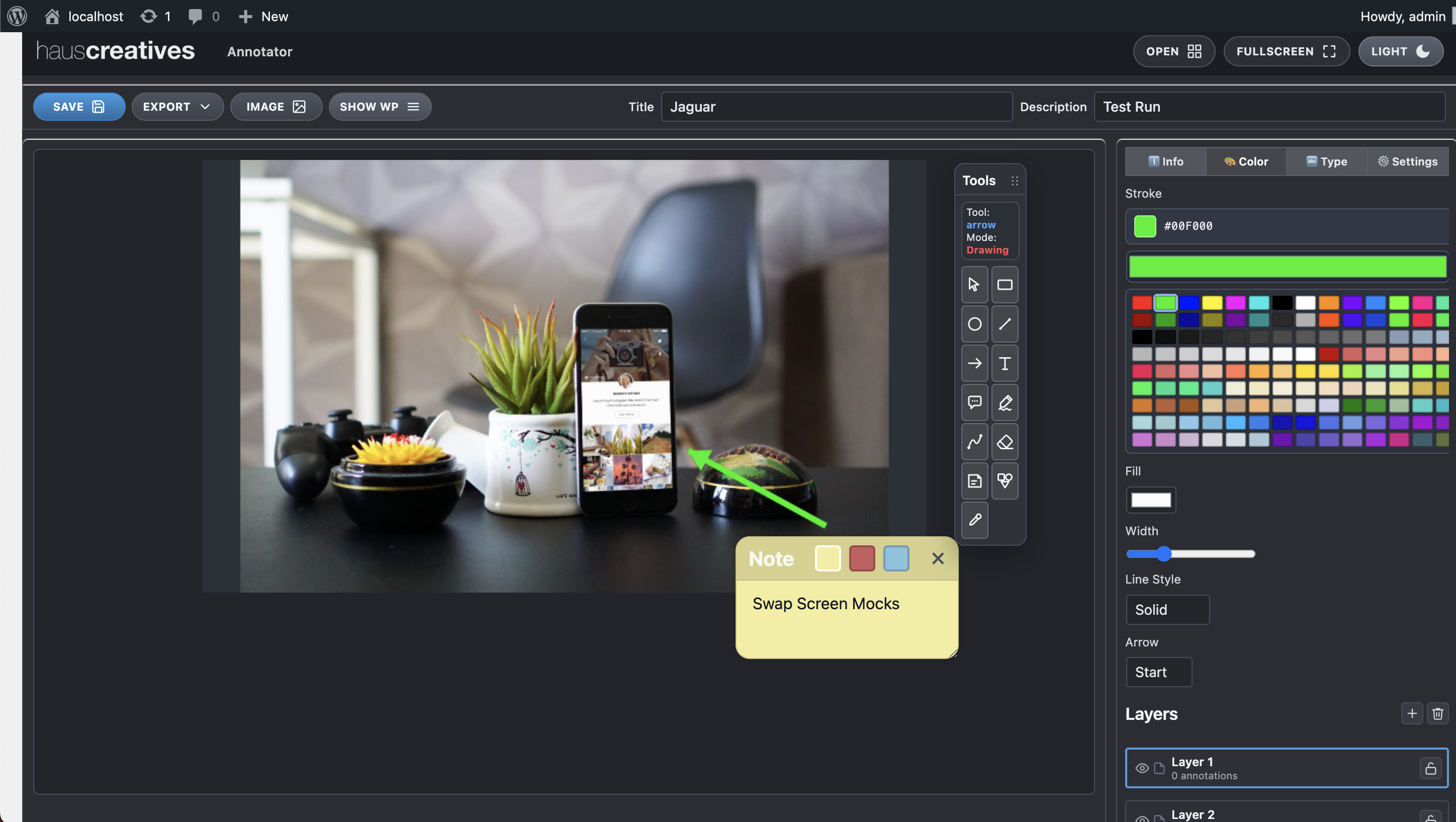
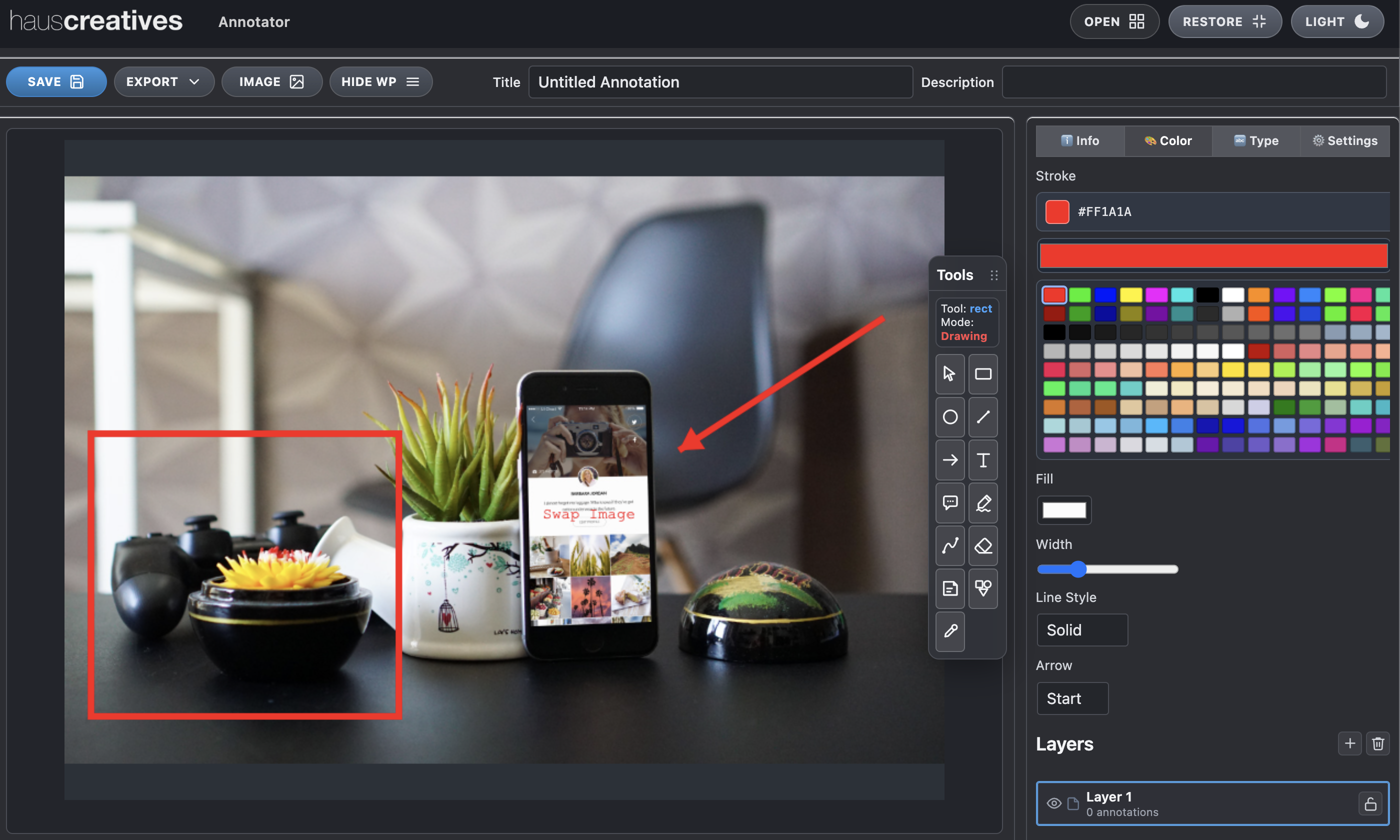
Full Drawing Toolkit
Rectangles, circles, arrows, freehand paths, and text. Stroke, fill, line style, and colour configurable in the right-hand panel.
PDF Export
Annotate multi-page PDFs natively. Export as a single combined PDF or as separate sheets per layer — ideal for contact sheet delivery.
// WORDPRESS INTEGRATION
Works inside WordPress. Two modes — your choice.
WP-Annotator lives in the WordPress admin as a first-class plugin. Images are loaded directly from the native WordPress Media Library — no separate upload system, no external storage. Work in the standard admin layout, or expand to fullscreen for an immersive proof review workspace.
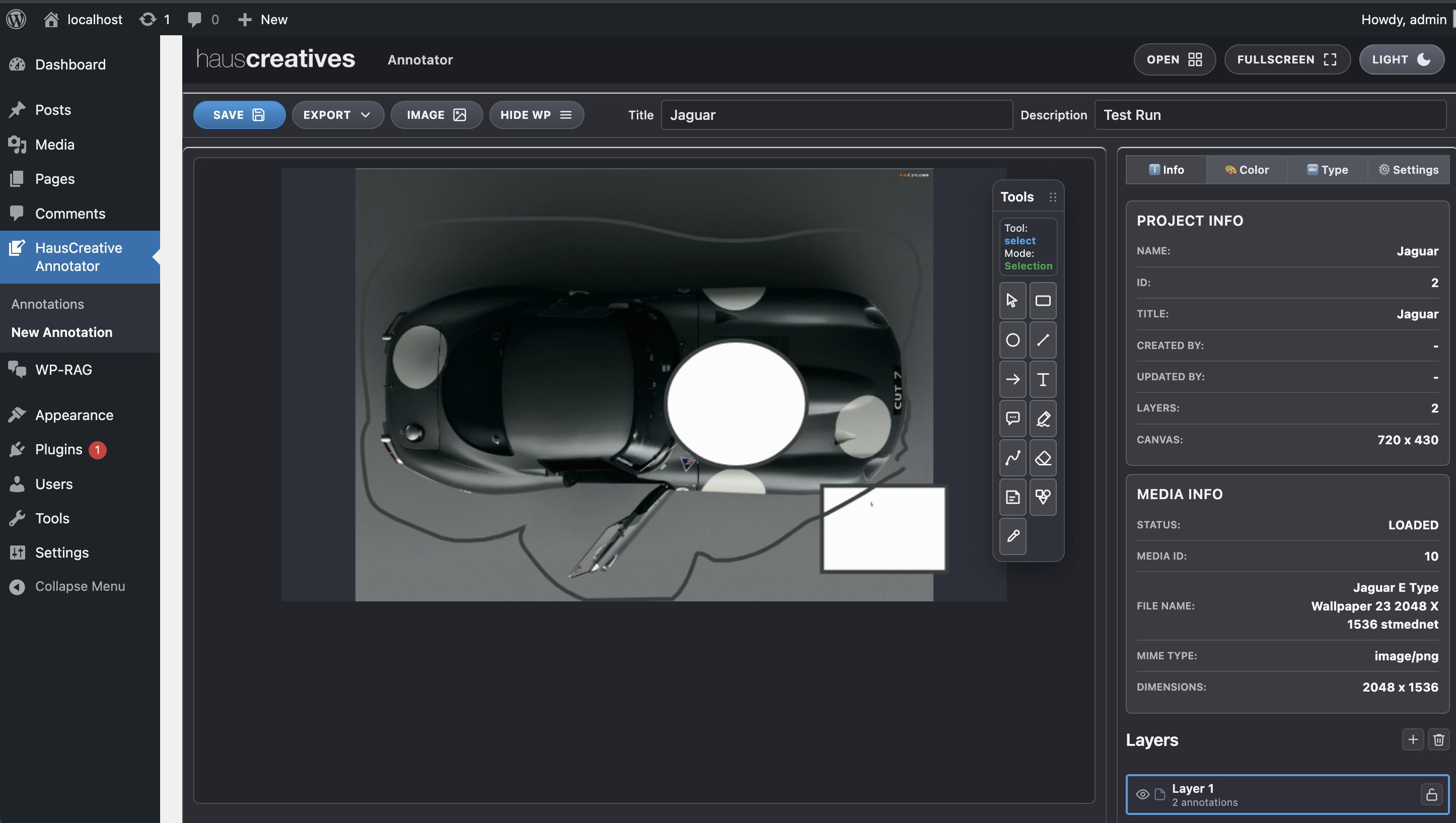
Toggle anytime: Hit
FULLSCREEN in the toolbar to expand the annotator
to fill the browser window. Hit SHOW WP to return to the
admin layout — no state loss, no page reload. Power users who know the original tool will
feel immediately at home in fullscreen.
Powered by the WordPress Media Library
- Images sourced directly from the WP Media Library — no separate uploads
- Attachment metadata surfaced: ID, filename, MIME type, dimensions
- Project info panel: title, canvas size, layer count
- Appears as a sidebar plugin in the standard WP admin
// DRAWING TOOLS
Every annotation tool you need. Nothing you don't.
The tool palette covers the complete proof review workflow. Select a tool, draw, and configure its properties — stroke width, line style, fill, arrow caps — in the right-hand panel without leaving the canvas.
Shapes
Rectangles and circles with fill, stroke colour, and line style (solid, dashed, dotted).
Arrows
Directional callout arrows with start/end cap options for pointing out specific changes on a proof.
Freehand
Natural pen tool for sketching, circling, or highlighting arbitrary areas on the image.
Text
Text labels placed anywhere on the canvas, with font size and colour control.
More Tools
ClipArt shapes, Paths, Notes, and Callouts — a full extended toolkit for detailed proof markup.
Select & Edit
The Select tool lets you pick, move, resize, and modify existing annotations after placement. Change a shape's colour, reposition it, or delete it — without redrawing from scratch.
Tool settings panel:
- Stroke width slider (1–20px)
- Line style: Solid, Dashed, Dotted
- Arrow cap: Start / End / Both / None
- Fill colour with opacity
- Full colour swatch palette + custom hex input
// STICKY NOTES
Written feedback pinned to the canvas.
Sticky Notes
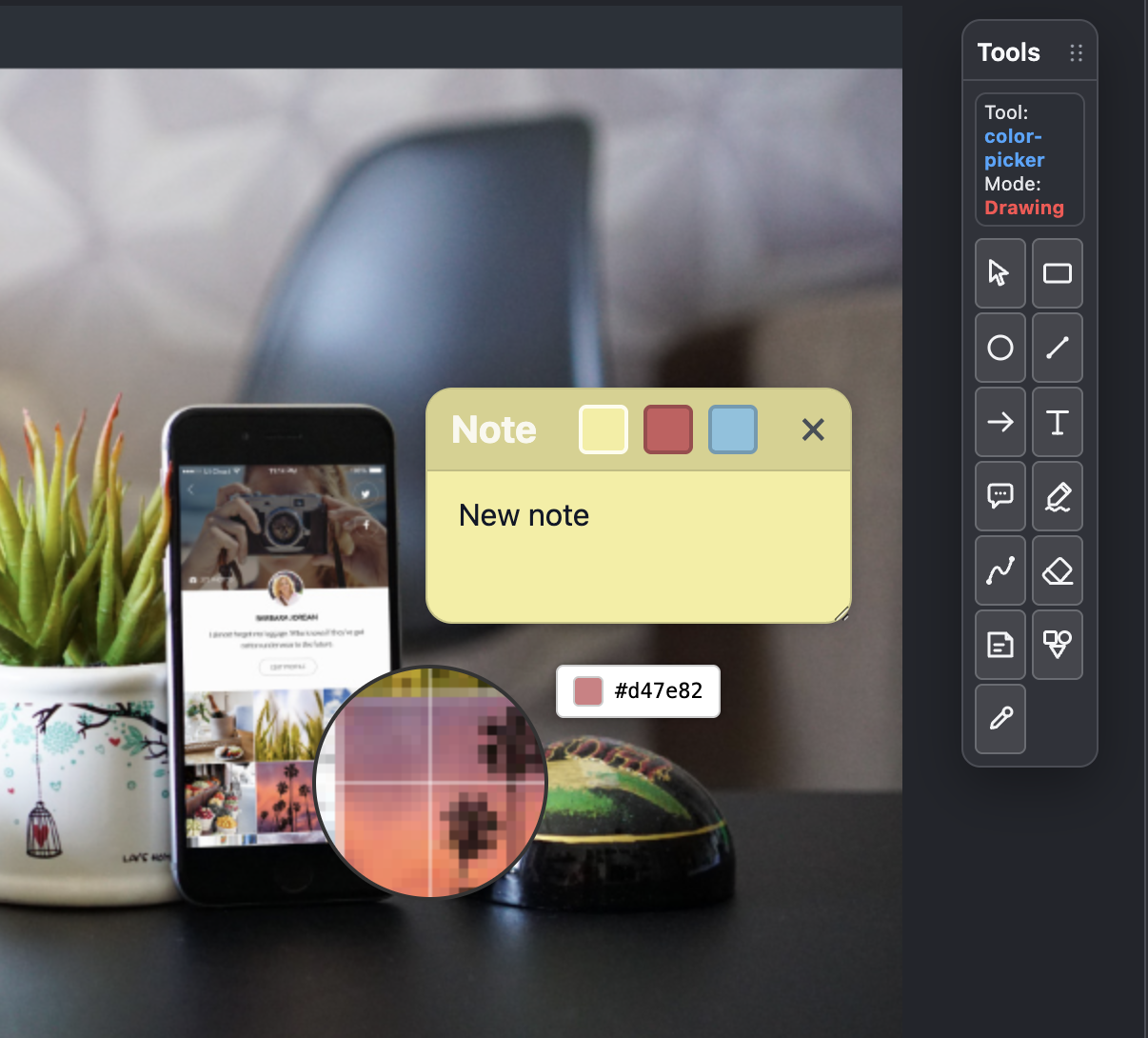
Sticky notes let reviewers pin written feedback directly to a point on the canvas — separate from drawing annotations, keeping markup layers clean. The digital equivalent of a Post-it on a physical proof sheet, from a reviewer anywhere in the world.
- Pin anywhere on the canvas at a specific point
- Editable inline text — type feedback directly
- Colour-coded: yellow, red, blue
- Collapsible and closeable
- Persisted and restored with the annotation project
// LAYER SYSTEM
Multiple layers. Full visibility controls.
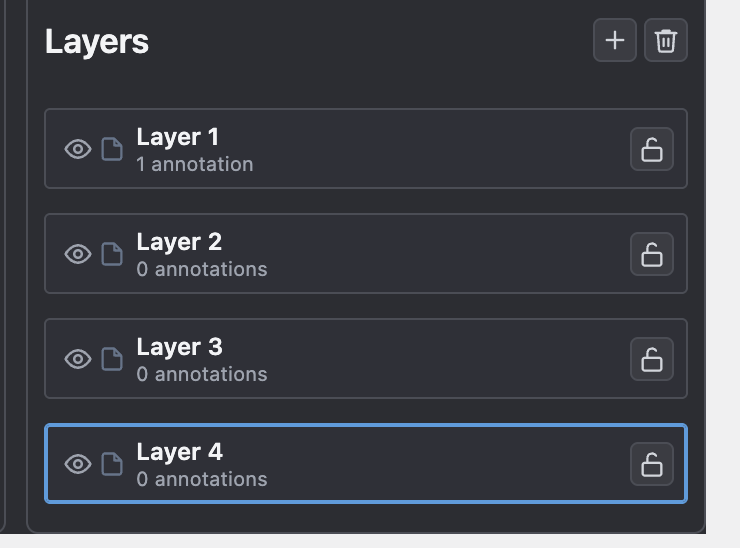
Each project supports multiple named layers. Separate art director notes from client feedback from production changes. Show, hide, or lock any layer independently — each reviewer's round stays clean and isolated.
Layer controls:
- Toggle visibility per layer
- Lock a layer to prevent accidental edits
- Add / remove layers with + and delete buttons
- Rename by double-clicking the layer name
- Active layer highlighted with a teal border
- Annotation count shown per layer
Multi-sheet export: Each layer can be exported as its own PDF sheet — deliver separate review rounds to different stakeholders without merging markup.
// PDF & EXPORT
Annotate multi-page PDFs. Print a contact sheet.
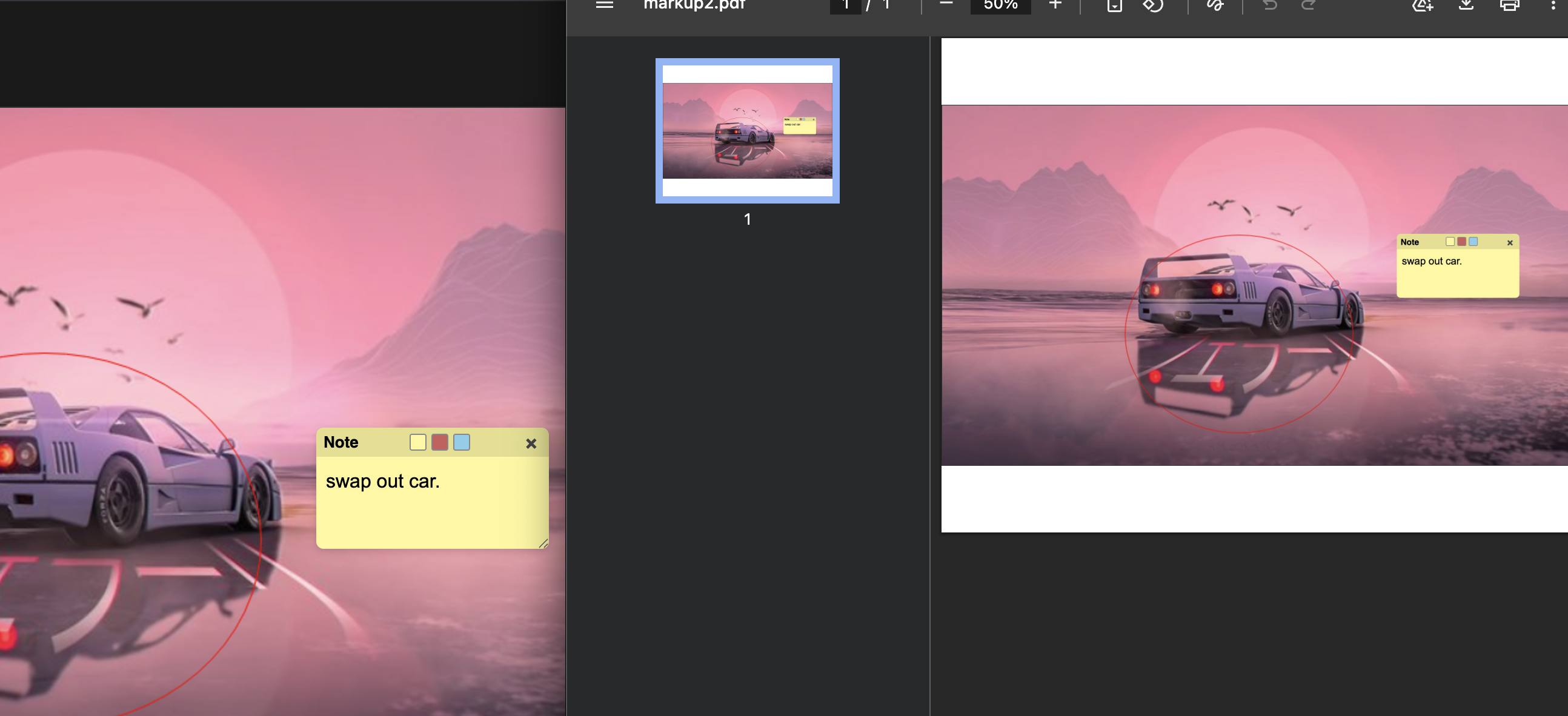
The export workflow maps directly to how pre-press teams delivered proof feedback: mark up the image and export a PDF — either as a single consolidated contact sheet or as individual sheets per layer for separate reviewer rounds.
PDF capabilities:
- Navigate and annotate multi-page PDFs
- Combined export — all layers merged, all pages
- Per-layer export — one PDF sheet per reviewer
// ANNOTATION DASHBOARD
All your projects. One clean list.
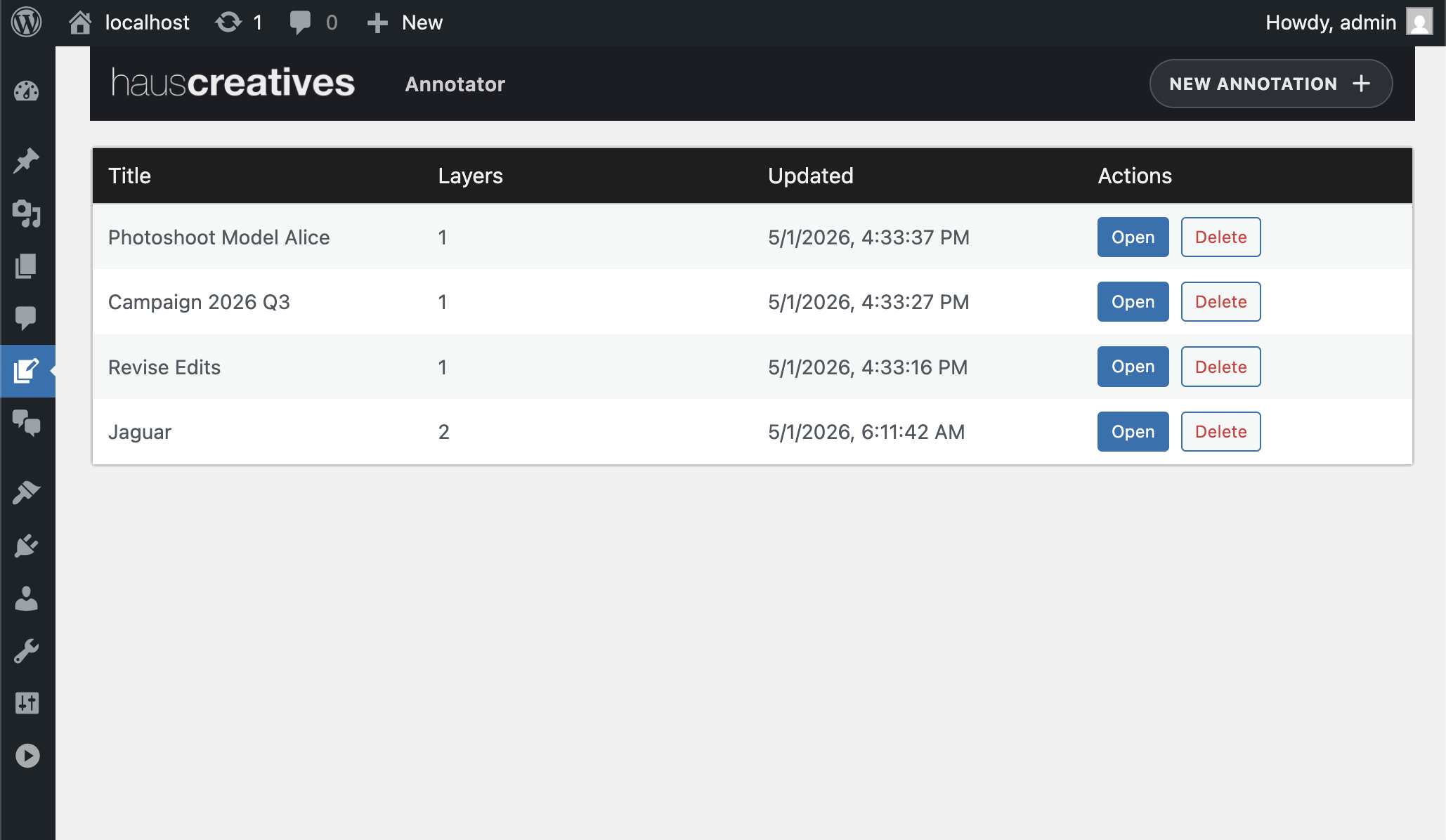
The WP-Annotator dashboard lists all annotation projects with their title, layer count, and last-updated timestamp — inside the standard WordPress admin. Open any project to resume a review cycle, or remove it when the round is complete.
Dashboard columns:
- Title — annotation project name
- Layers — number of annotation layers
- Updated — last save timestamp
- Actions — Open or Delete
Create a new project via
+ New Annotation.
Select an image from the Media Library and start annotating immediately.
// HERITAGE & FEATURE PARITY
Same tool. Now inside WordPress.
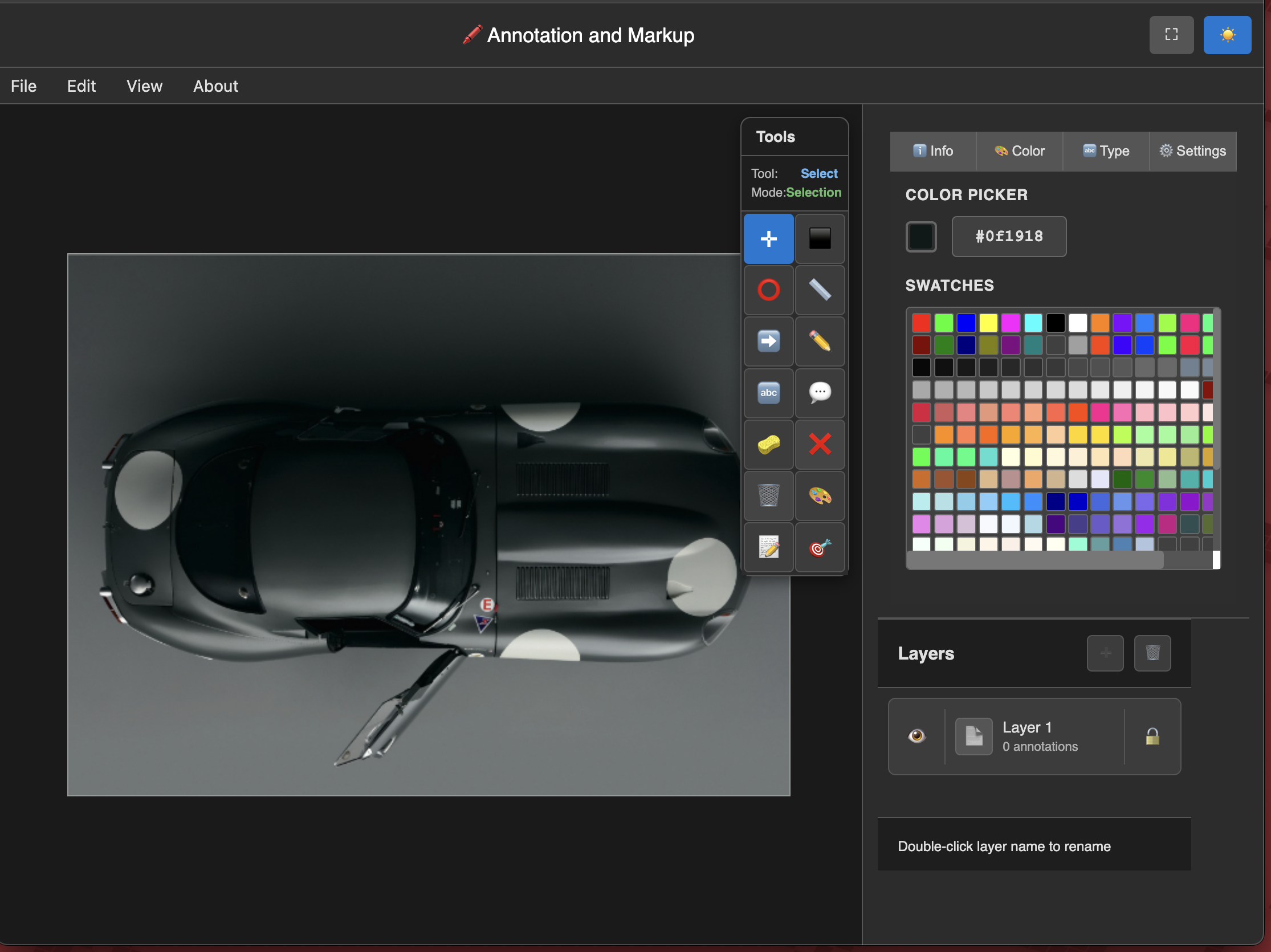
The WP plugin delivers the same canvas annotation model as the original pre-press tool — the same layer system, the same drawing tools, the same colour controls — built into the WordPress admin and powered by the Media Library. Below, the same image annotated in both.
// ORIGINAL TOOL — PRE-PRESS & ADVERTISING WORKFLOW
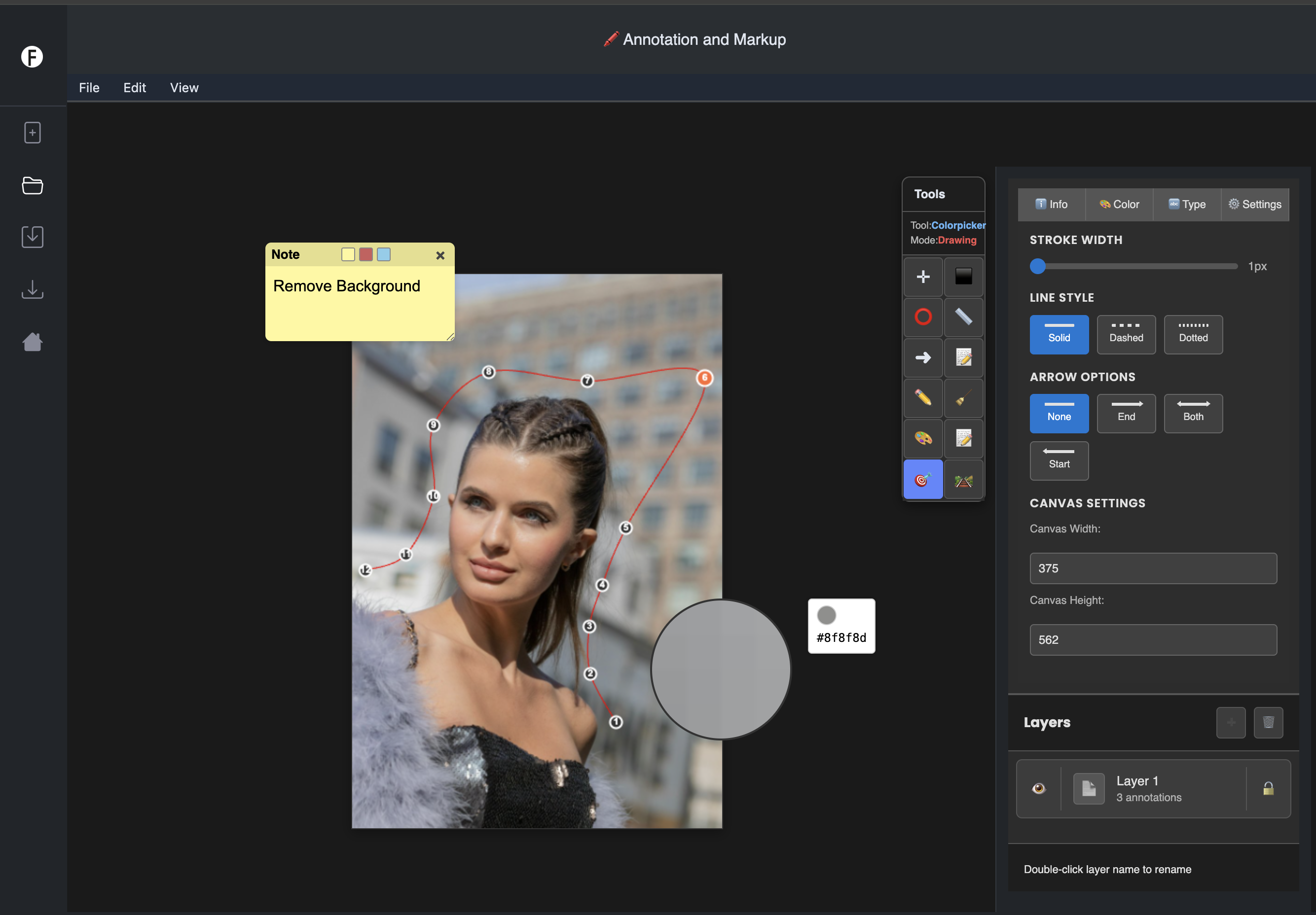
From agency to WordPress: Teams who used our original annotator in pre-press or DAM workflows will find the same canvas tool model in the plugin. The workflow transfers immediately — now accessible to any WordPress site without separate infrastructure.
// BEYOND THE PLUGIN
When review markup needs
to connect to production systems.
The WordPress version of this tool is the accessible entry point. The original system — built for advertising agencies doing professional pre-press and proof review — has been in production for over 20 years.
If your annotation or proof-review workflow involves video, high-resolution print assets, multi-team access control, or integration into a production pipeline via API — that's a conversation about the full system, not the plugin.
// When to talk to us
- ›Your workflow involves video frame annotation, not just images
- ›High-resolution or print-format assets need native support
- ›You need annotation integrated into an existing production pipeline
- ›Multi-team or client-facing review requires custom access control
- ›You need the annotation layer to connect to your DAM or CMS via API
// LET'S WORK TOGETHER
Pre-press annotation — now in WordPress.
Haus Annotator brings the same review model used in agency pre-press workflows into the WordPress Media Library.
Layers. Drawing. Sticky notes. Multi-page PDF. Fullscreen.
// SAY HELLO
Interested in WP-Annotator? Reach us at hi@hauscreatives.com
// MORE FROM HAUS
More WordPress plugins
Built for teams that need more than what the plugin directory offers.
View All WordPress Plugins →