
// WP MARKDOWN IMPORT FOR WORDPRESS
Markdown to WordPress — with preview and approval.
Upload .md files, preview rendered HTML,
organise into Corpuses, and publish as WordPress posts or pages —
all from a clean admin dashboard. No copy-paste cleanup after the draft is created.
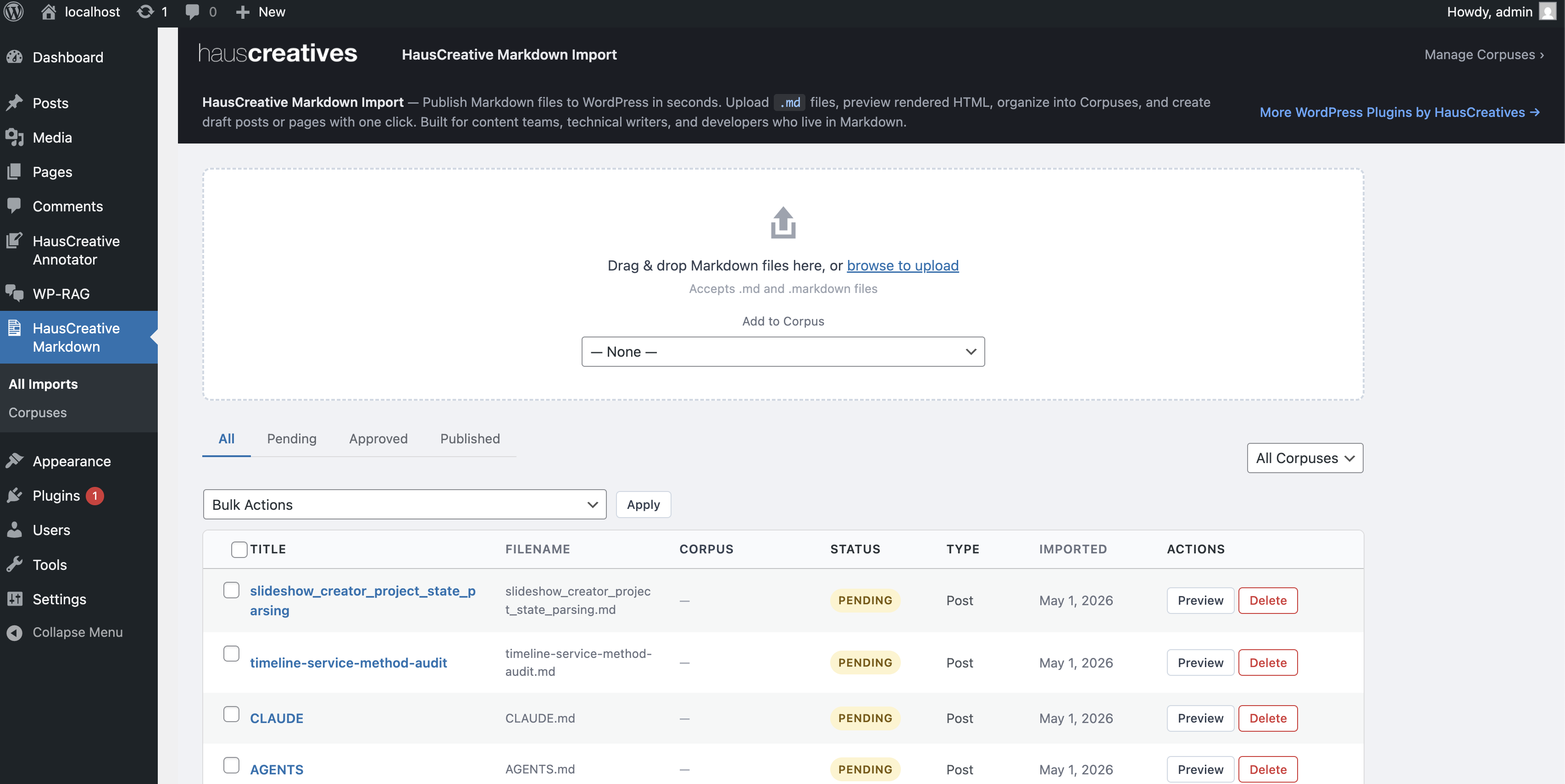
// WP-MARKDOWN
Your writing workflow — now native to WordPress.
WP Markdown Import brings your existing Markdown writing pipeline directly into the
WordPress admin. Writers and developers who work in .md
files don't need to switch tools or copy-paste content — upload, preview, and approve
a draft in three clicks.
Built for teams who write in Markdown. Engineers writing documentation, content strategists drafting in Obsidian or iA Writer, technical writers exporting from any editor — every one of them eventually needs to get that content into WordPress. WP Markdown Import removes that final step: drag, preview, approve, done. No copy-paste, no formatting loss, no manual slug entry if the front matter already has it.
Drag & Drop Upload
Drop one or many .md files onto the upload zone. Multi-file upload processes them in one shot — all results reported inline.
Rendered Preview
See the full HTML output before committing. Headings, code blocks, lists, blockquotes — rendered faithfully in a clean reading frame.
One-Click Approval
Approve and create a WordPress draft post or page directly from the preview sidebar. Edit the title, slug, and excerpt before publishing.
// IMPORT DASHBOARD
All your imports. One clean table.
The dashboard lists every import with its status, corpus, post type, and date. Filter by status tab or by corpus, paginate through large batches, and act on individual rows or select multiples for batch delete.
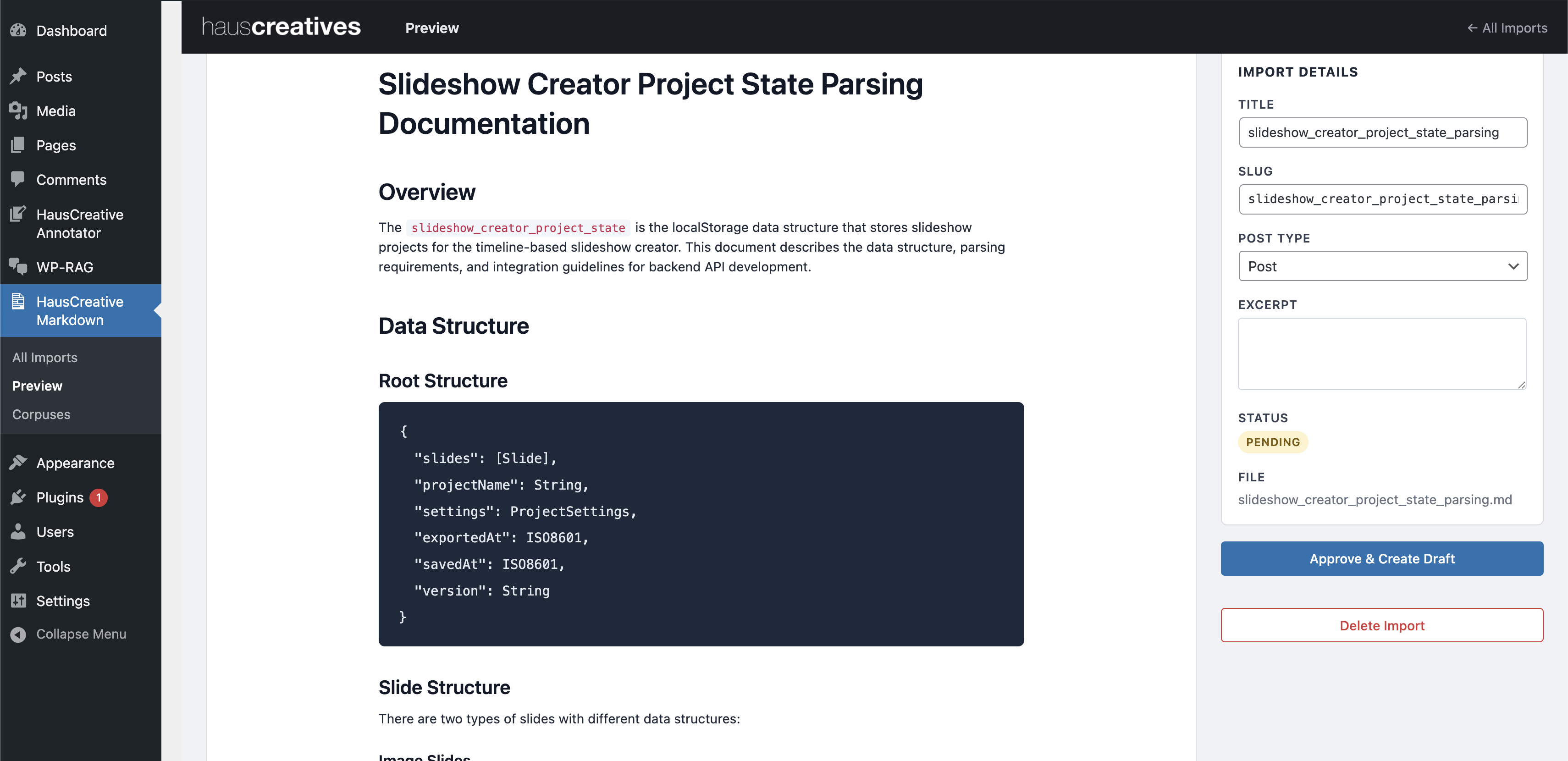
Dashboard columns:
- Title — parsed from front matter or filename
- Filename — original
.mdfile - Corpus — collection the file belongs to
- Status — Pending / Approved / Published
- Type — Post or Page
- Imported — date stamp
Batch delete: Check one, several, or all rows — then select Delete from the bulk actions bar and hit Apply. Deletions run in parallel; rows vanish as they clear.
// STATUS WORKFLOW
Upload → Preview → Approve → Publish.
Every import moves through a lightweight review lifecycle. Nothing goes to WordPress until you explicitly approve it. Once approved, WordPress takes over — when the draft publishes, the import status updates automatically.
What happens at each stage:
- Pending — import saved, HTML converted, ready for review. Fields are editable.
- Approved — WordPress draft created. A direct Edit Draft link appears in the sidebar and the imports table. Fields become read-only.
- Published — WordPress post/page published. Status updates automatically via the
transition_post_statushook. A View Post link replaces Edit Draft.
Front matter aware: If your Markdown file includes YAML front matter with
title, slug, or excerpt fields, they are extracted
automatically — no need to fill them in manually on the preview page.
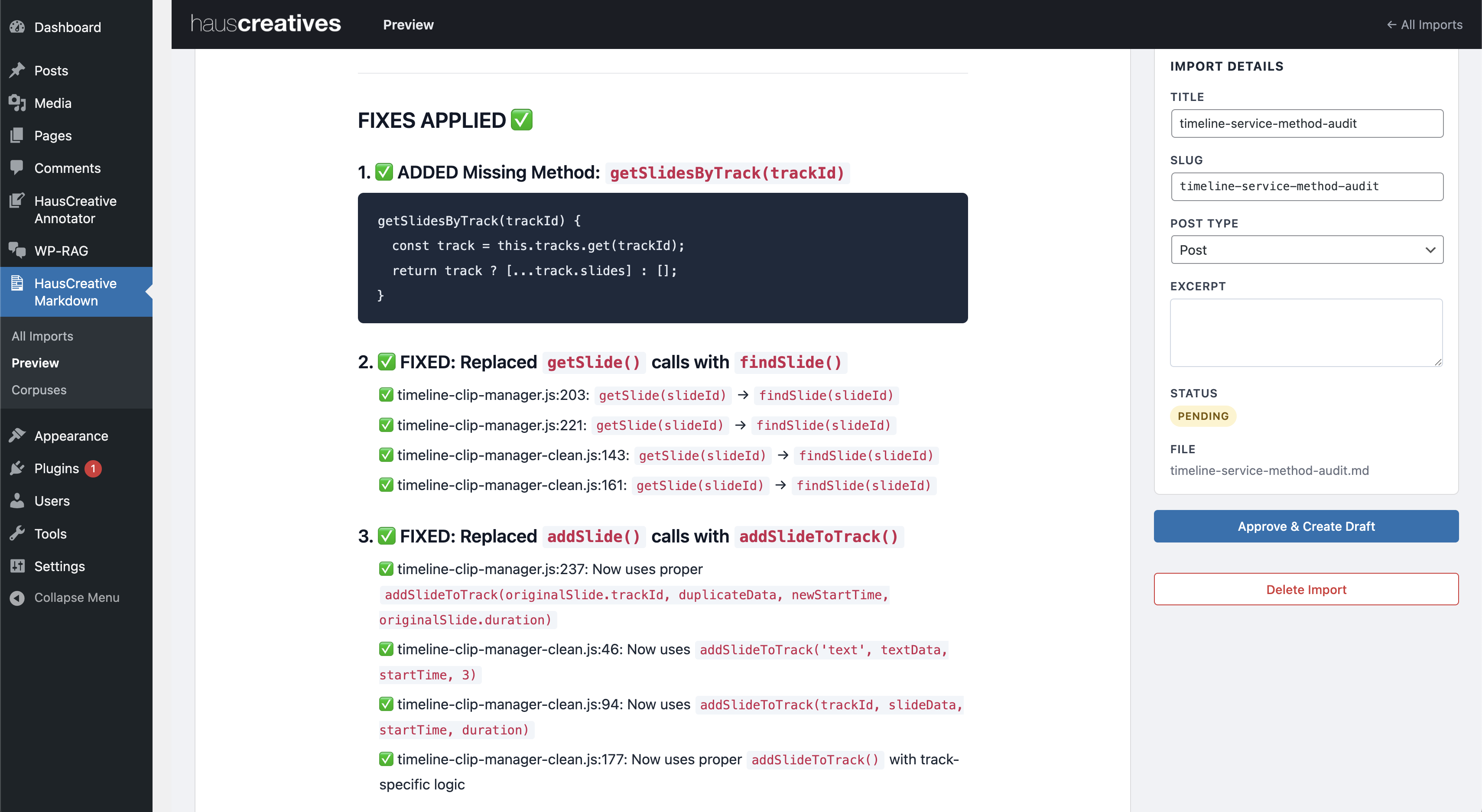
Preview sidebar fields:
- Title — editable text input
- Slug — auto-generated, editable monospace input
- Post Type — Post or Page selector
- Excerpt — optional textarea
- Corpus — badge shows assigned collection
- Status pill — live, updates on approve
- Original filename
All fields lock to read-only after approval, preserving a clean audit trail.
// CORPUS — FILE COLLECTIONS
Group related files. Work on one project at a time.
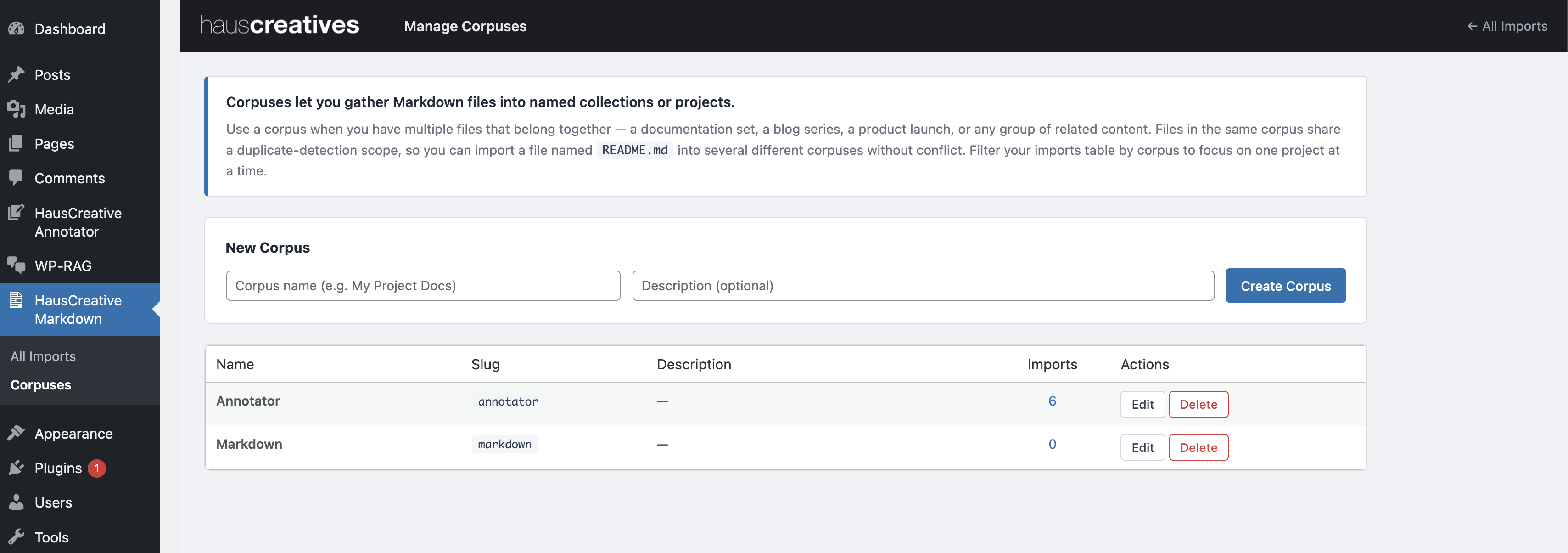
A Corpus is a named collection of Markdown files — a documentation set, a blog series, a product launch, or any group of related content. Assign files to a corpus at upload time, then filter the dashboard by corpus to focus on one project at a time.
Why it matters:
- Import
README.mdinto ten different corpuses without collision — duplicate detection is scoped per corpus - Filter the imports table to a single corpus for focused review
- Inline edit corpus name and description from the management page
- Import count per corpus links directly to filtered view
- Delete a corpus without losing its imports — files remain, corpus reference clears
// UPLOAD ZONE
Drop files. All of them at once.
The upload zone accepts drag-and-drop and browse-to-select. Drop a whole folder's worth of Markdown files at once — each is converted, duplicate-checked, and added to the table in a single request. Per-file success and error notices appear inline; duplicates link directly to the existing import.
Upload details:
- Accepts
.mdand.markdownextensions - Multi-file in one drop or browse selection
- Corpus assigned at upload — dropdown in the zone
- Duplicate detected by SHA-256 hash, scoped per corpus
- Inline progress, per-file result notices
- New rows appear at the top of the table immediately — no page reload
Drag & Drop Zone
Full-width drop target inside the admin. Drag files from Finder or Explorer directly. Browse button for single-click file picking.
Duplicate Guard
Prevents re-importing the same file within the same corpus. Links the notice to the existing record.
Live Results
Each file reports independently — successes, duplicates, and errors all inline. No full-page reload needed.
// BUILT THE WORDPRESS WAY
Clean architecture. No bloat.
The plugin follows WordPress conventions throughout — REST API controllers, repository
pattern for database access, custom capabilities for role-based permissions, and
dbDelta() migrations that run on every load without requiring deactivation.
REST API
All AJAX operations use the WordPress REST API — uploads, approvals, deletes, corpus CRUD.
Capabilities
Custom edit_haus_markdowns and edit_others_haus_markdowns capabilities. Authors see only their own imports.
Repository Pattern
All database queries isolated in repository classes using $wpdb->prepare(). Zero raw SQL in controllers.
Auto Migrations
dbDelta() runs on every plugins_loaded — schema stays current without deactivate/reactivate.
ES modules, no build step: The frontend is a single
app.js ES module — no webpack, no npm, no compiled bundle required.
Works natively in every modern browser WordPress supports.
// LET'S WORK TOGETHER
Publish Markdown without rebuilding it in the editor.
WP Markdown Import removes the last mile between your writing workflow and WordPress.
Upload. Preview. Approve. Done.
// SAY HELLO
Interested in WP-Markdown? Reach us at hi@hauscreatives.com
// MORE FROM HAUS
More WordPress plugins
Built for teams that need more than what the plugin directory offers.
View All WordPress Plugins →