
// WP-IMAGE
Search your WordPress Media Library by what images contain.
Most media libraries only know filenames and upload dates. WP-Image analyzes each image, writes tags and captions back to WordPress, and makes the library searchable by what the image actually contains.
Related-image matching can support product recommendations, cross-sell blocks, and editorial asset discovery.
Same Media Library. Better search, tags, and reuse.
WP-Image works inside the native WordPress Media Library, analyzing images and generating summaries, tags, keywords, and semantic embeddings. Your team keeps the same workflow, but gains a media library that is easier to search, organize, and reuse.
AI-Generated Tags
Automatically tag images with relevant keywords, making them instantly searchable without manual metadata entry.
Semantic Search
Search by meaning, not just keywords. Find "vintage jag" and get Jaguar E-Type results — WP-Image understands context.
Media Intelligence
Track which images are used most, analyze content patterns, and surface insights from your media library.
// NATIVE WORDPRESS INTEGRATION
No external hoops. It works where editors already work.
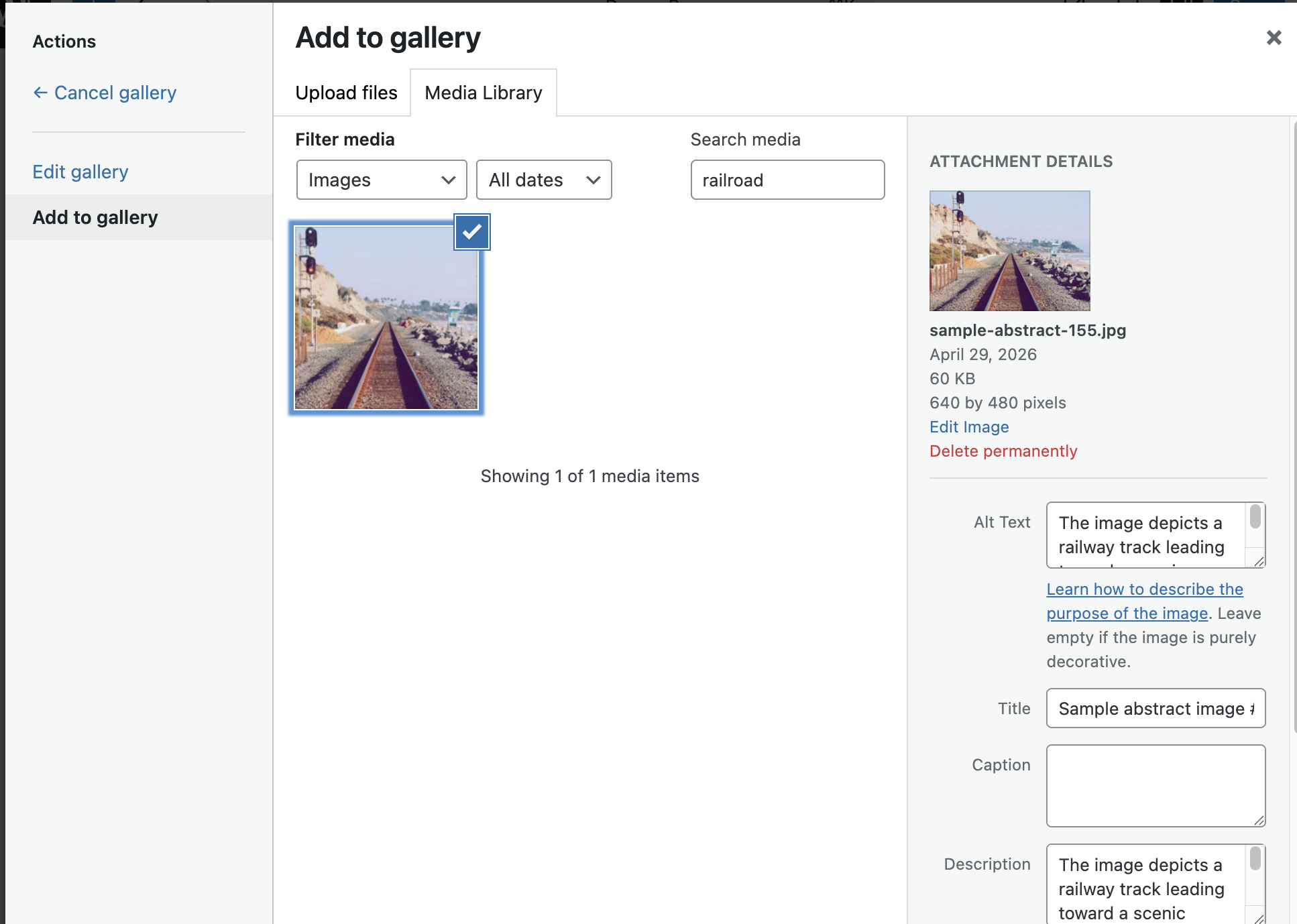
WP-Image works inside the built-in WordPress Media Library and page editor. When you author a page and click “Add Media,” the AI-generated search terms, captions, and related-image results are already there — inside the workflow your team already uses.
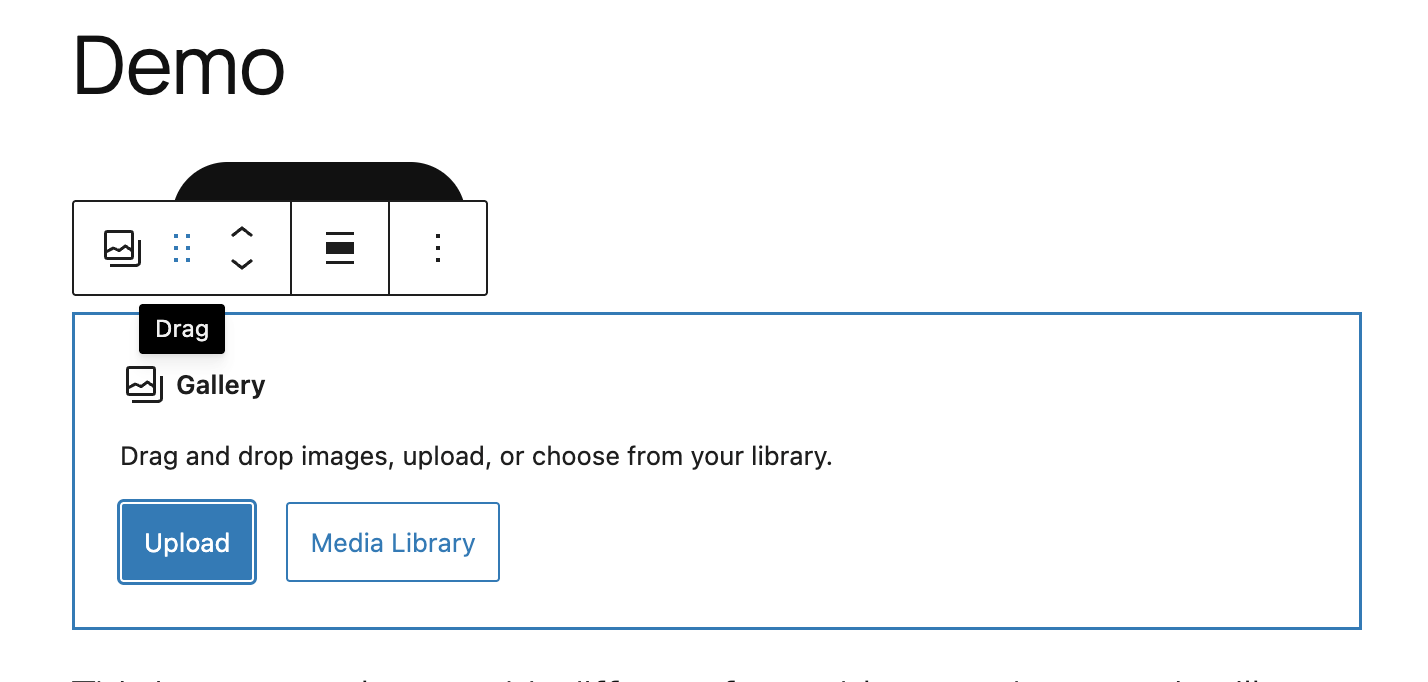
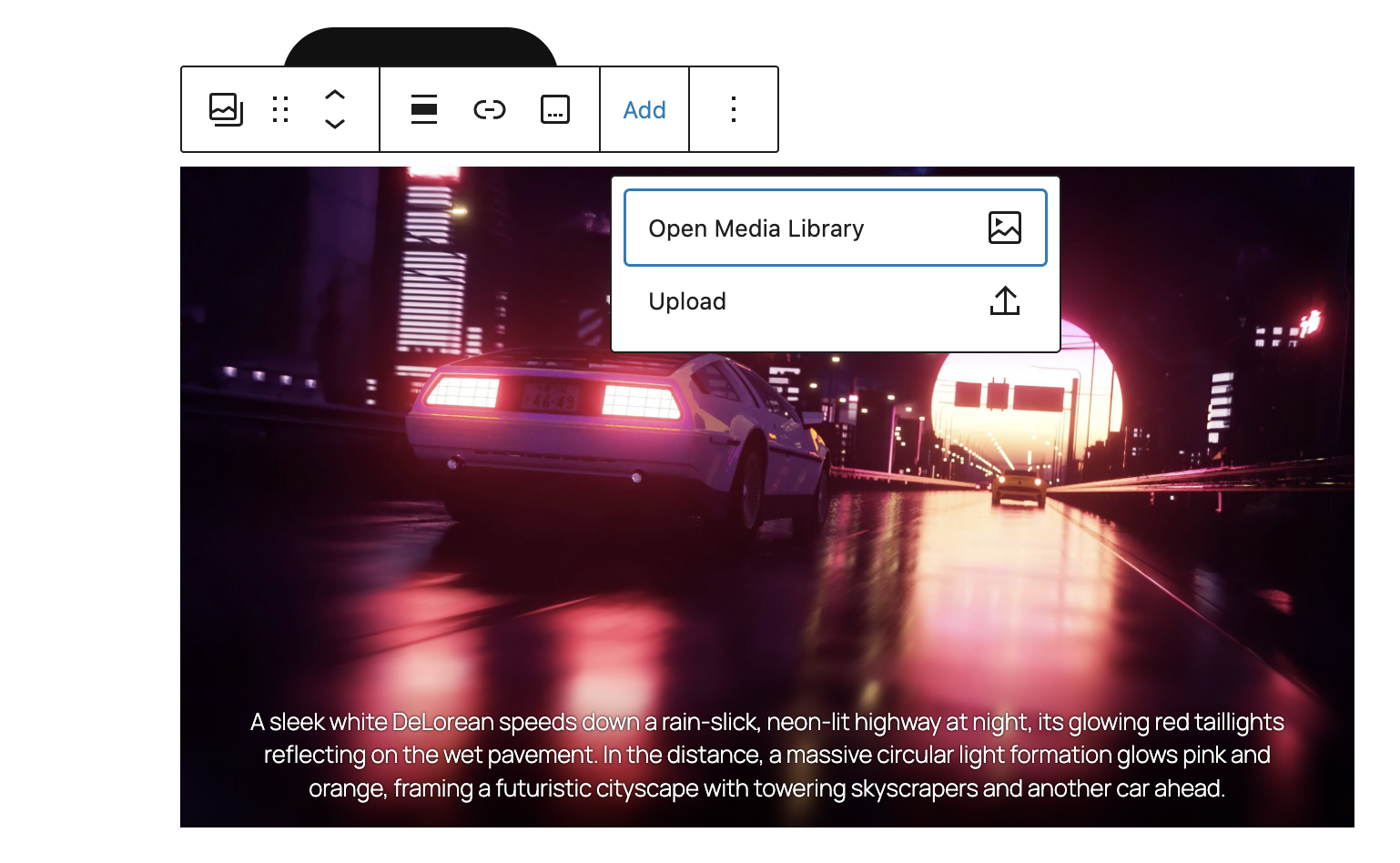
Everything stays in WordPress. No learning curve.
The Media Library search box, attachment details panel, bulk actions, and gallery selectors all work exactly as they always have — but now they're powered by AI vision analysis. Your editors don't need to learn a new system. WP-Image extends WordPress, not replaces it.
// PRODUCT WALKTHROUGH
See WP-Image in action
// REAL EXAMPLE
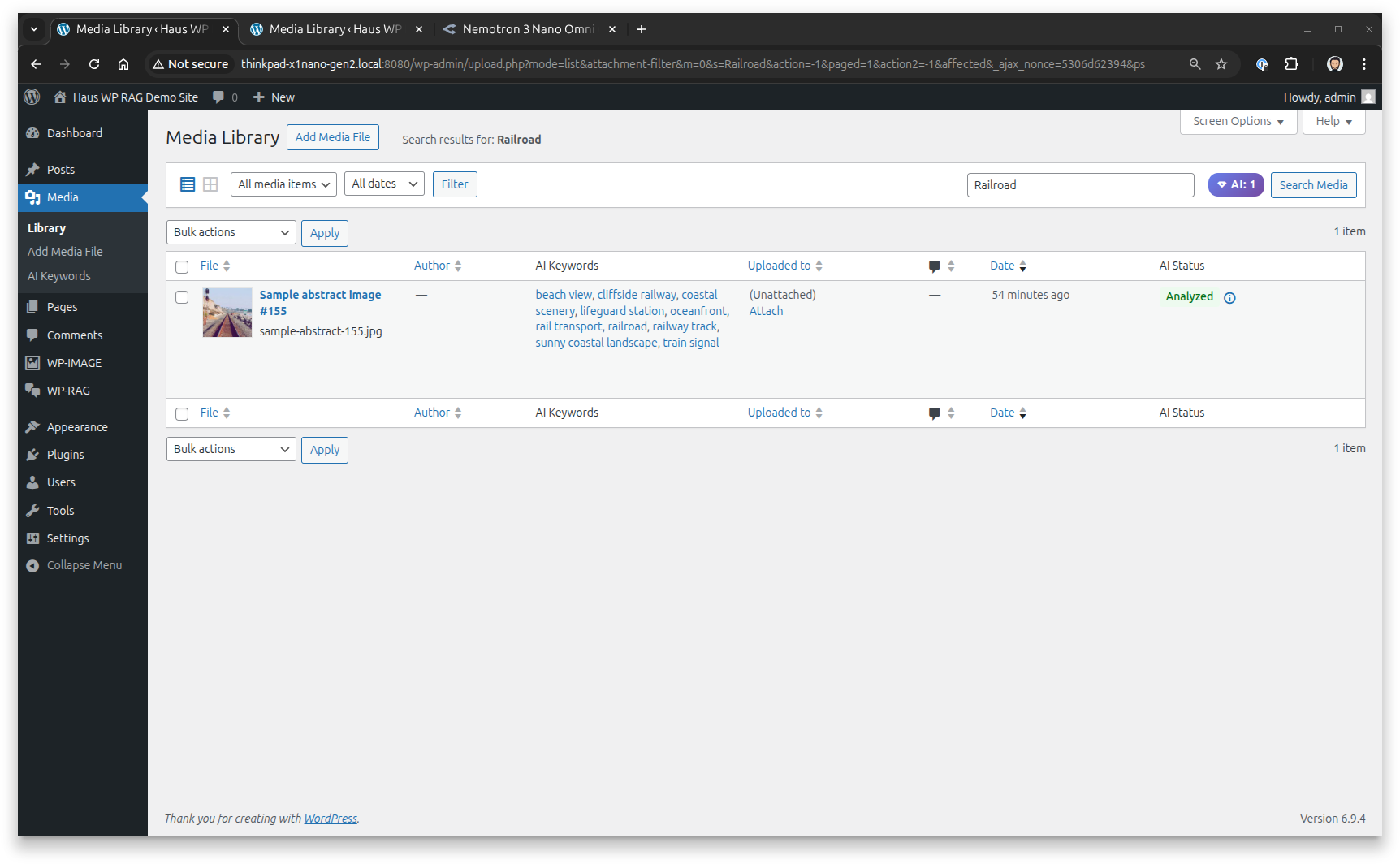
From sample-abstract-image-155.jpg to intelligent asset
You upload an image with a meaningless filename like sample-abstract-image-155.jpg. No metadata. No tags. Just a file.
WP-Image detects:
- railroad
- coastal scenery
- train signal
- railway track
- beachside rail
Now search: "railroad"
→ Image is found ✅
// SEMANTIC SEARCH
Search by meaning, not just keywords
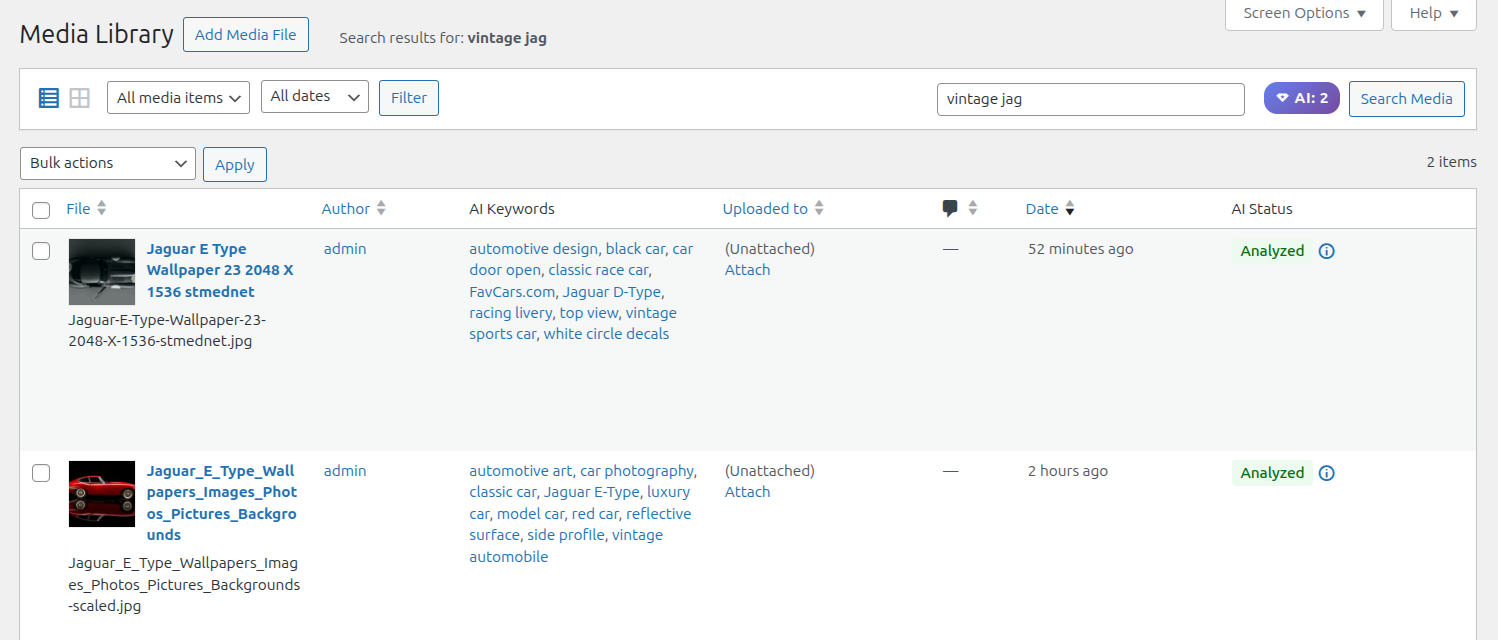
Visitors rarely search the exact way you tag things. WP-Image Pro uses vector embeddings to match images by meaning, not just literal keywords.
Example:
Search: "vintage jag"
Returns:
- Jaguar E-Type
- Classic sports cars
- Vintage automotive images
Because WP-Image understands context, not just keywords.
// RELATED AI TAGGED IMAGES
Discover visually similar images — power recommendations and cross-sell
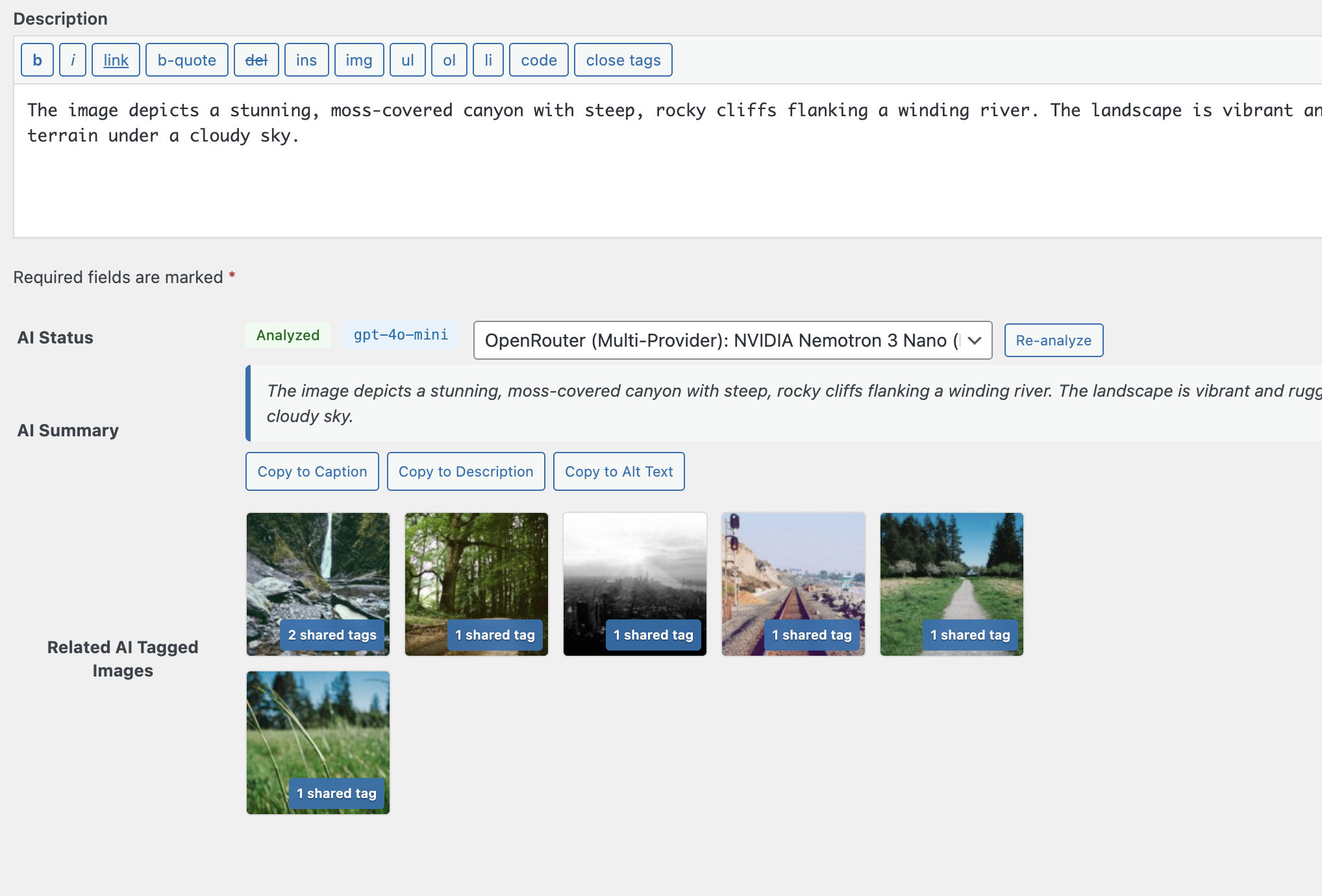
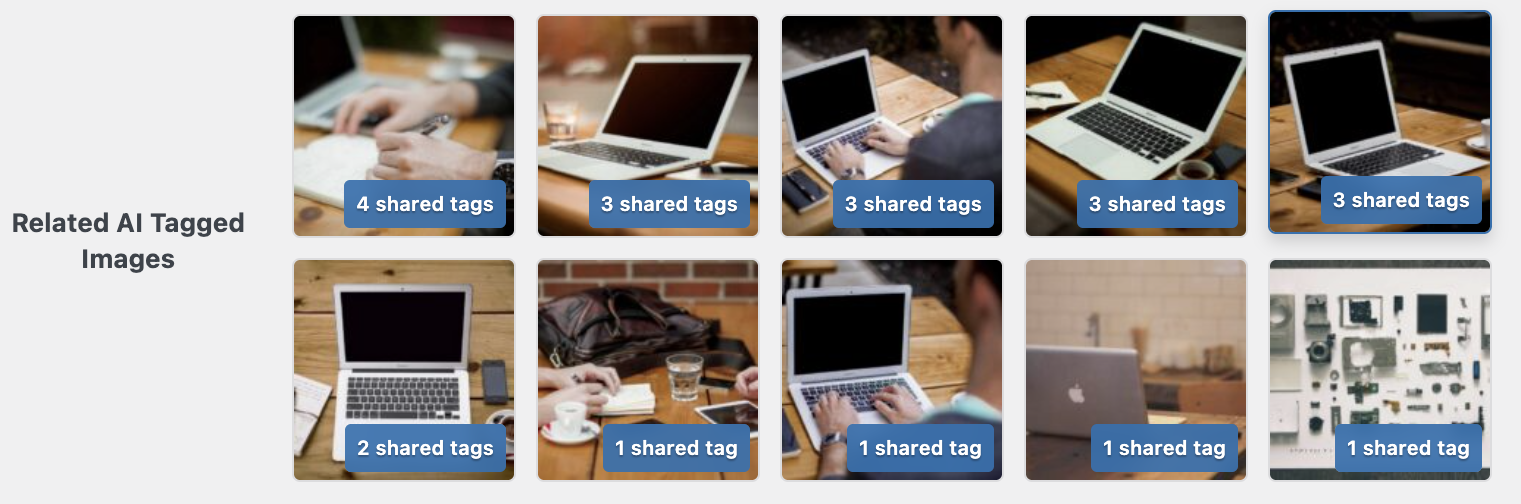
When viewing an image in the Media Library, WP-Image automatically surfaces related images that share AI-generated tags. For WooCommerce sites and product catalogs, this enables powerful recommendation features based on visual similarity.
Use cases:
- Related products ("You might also like")
- Cross-sell recommendations
- Pattern & style matching (e.g., "blue polka dot dress" → "blue polka dot blouse")
- Find similar content across your media library
- Discover visual patterns without manual tagging
The example shows a canyon landscape revealing 6 related images with shared tags like "moss-covered", "rocky cliffs", and "landscape photography" — the same AI tag matching powers product recommendations for e-commerce.
// MULTI-PROVIDER AI
Choose your AI provider. OpenAI, OpenRouter, or NVIDIA.
WP-Image supports multiple AI vision providers, giving you control over cost, performance, and model selection.
OpenAI
GPT-4 Vision models for high-quality image analysis and detailed descriptions.
OpenRouter
Access multiple vision models through a unified API — flexibility and choice.
NVIDIA Nemotron
Fast, free option for basic tagging and keyword extraction at scale.
// ANALYSIS PROFILES
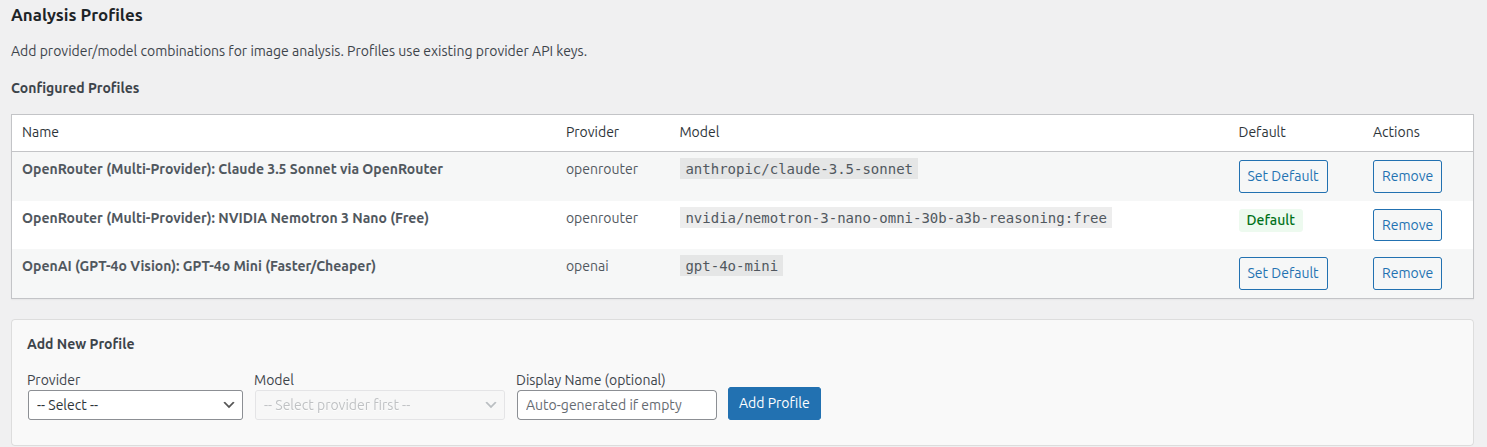
Configure multiple AI provider profiles for different use cases
Set up different provider and model combinations for image analysis. Switch between profiles based on your needs — use premium models for critical assets, or fast free options for bulk processing.
Configured examples:
- OpenRouter + Claude 3.5 Sonnet
- OpenRouter + NVIDIA Nemotron (Free)
- OpenAI + GPT-4o Mini (Faster/Cheaper)
Profiles use existing provider API keys, making it easy to test different models without reconfiguring credentials.
// AI KEYWORDS
Manage AI-generated keywords. Track what concepts are found.
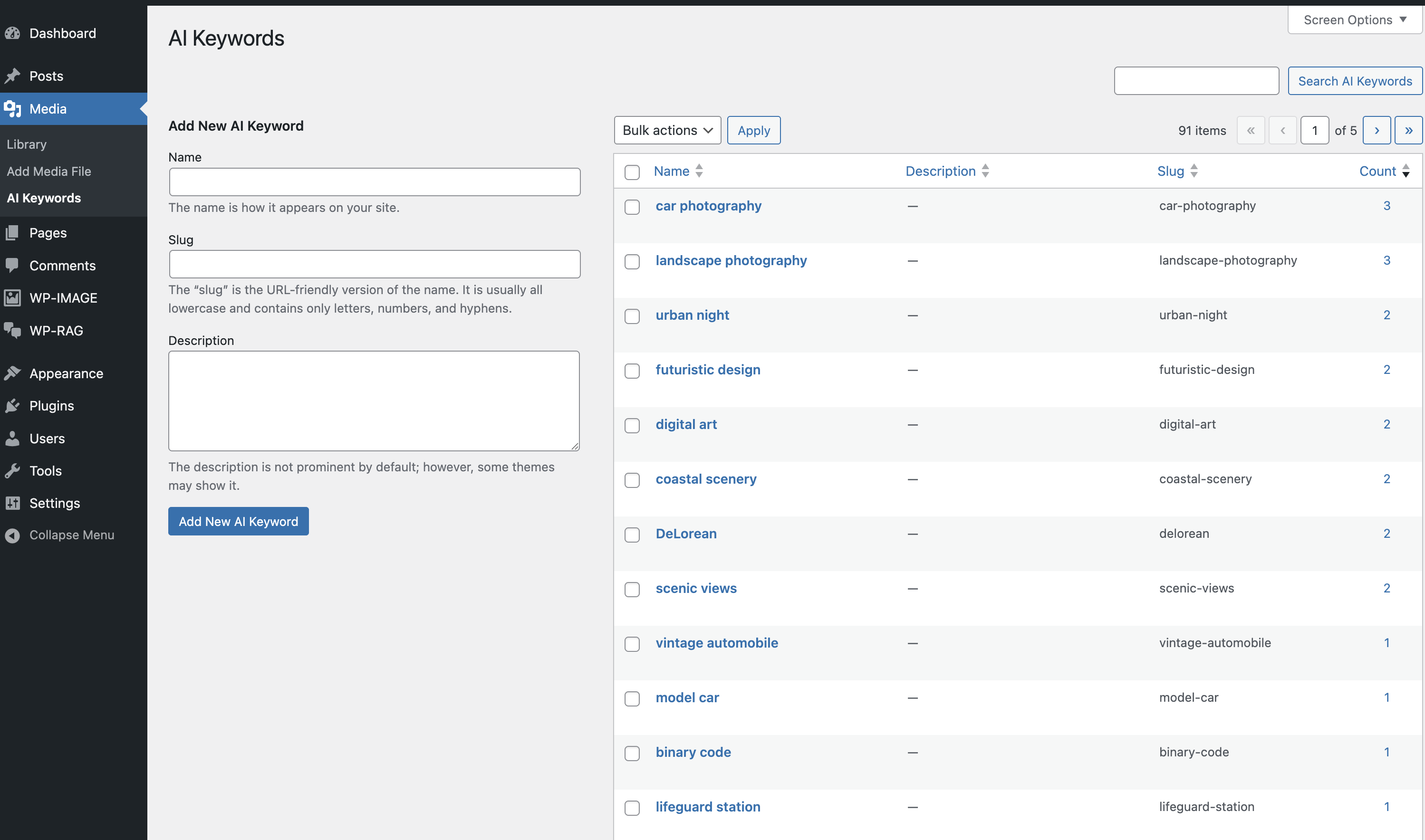
WP-Image creates a custom taxonomy for AI-detected keywords. Every concept found in your images becomes a searchable, browsable term in WordPress.
What you can do:
- View all AI-generated keywords
- See usage count per keyword
- Add custom keywords manually
- Filter and search keyword library
Examples from the screenshot: car photography (3 images), landscape photography (3), urban night (2), futuristic design (2), and more.
// SEMANTIC SEARCH CONFIGURATION
Configure vector search with MariaDB or compatible databases
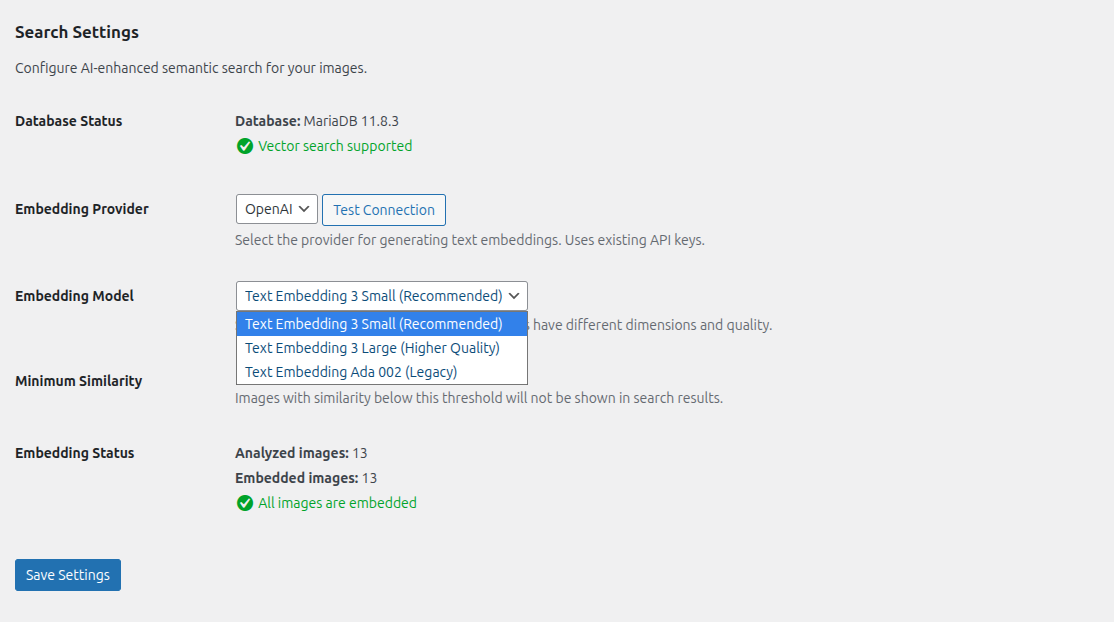
WP-Image Pro supports semantic search through vector embeddings. The settings panel shows database compatibility, embedding model selection, and processing status.
Features shown:
- Database vector support detection (MariaDB 11.8.3)
- Embedding provider selection (OpenAI)
- Multiple embedding model options
- Embedding status tracking (13 images embedded)
- Minimum similarity threshold controls
// QUEUE MONITORING
Track processing status in real-time with detailed queue visibility
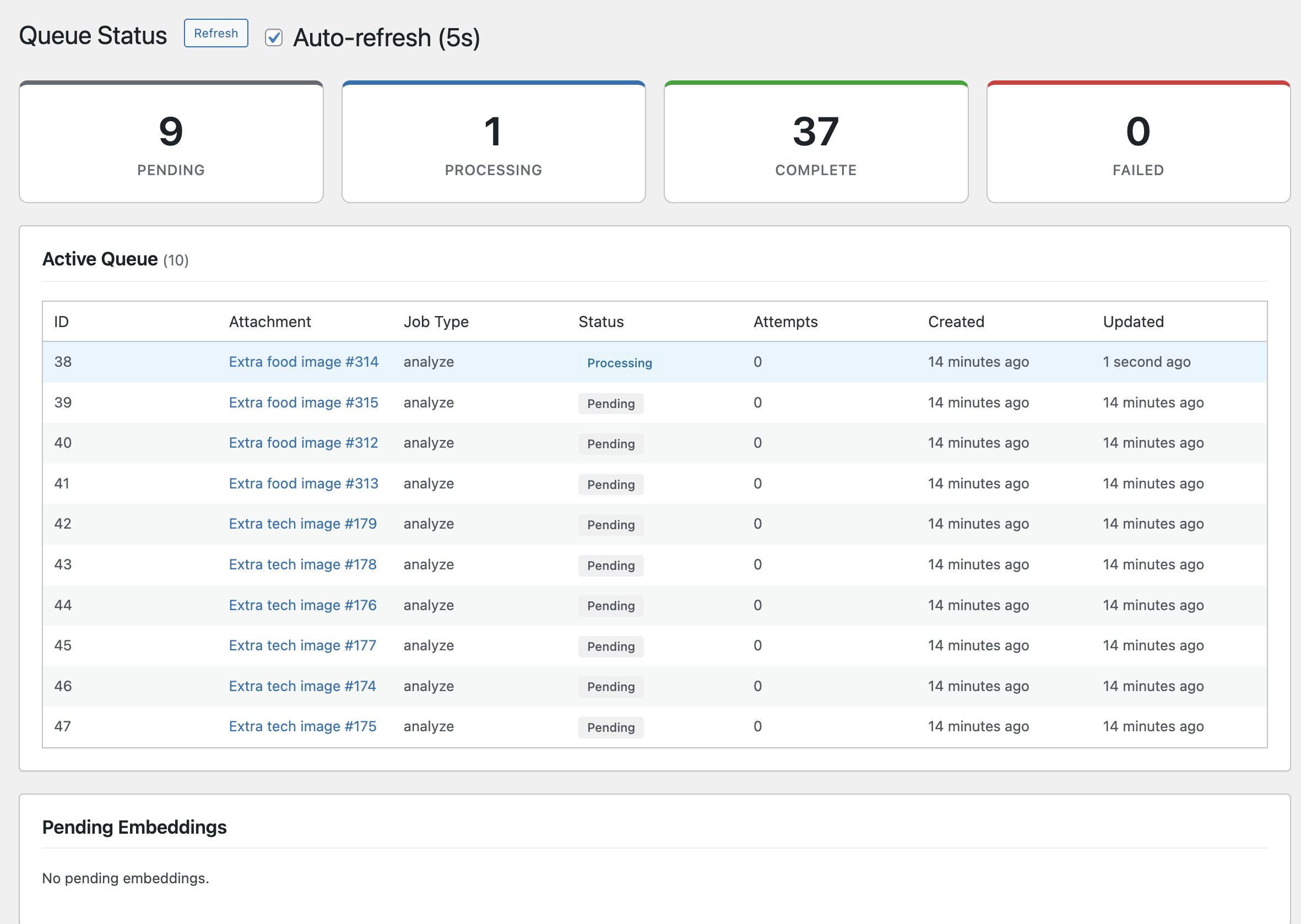
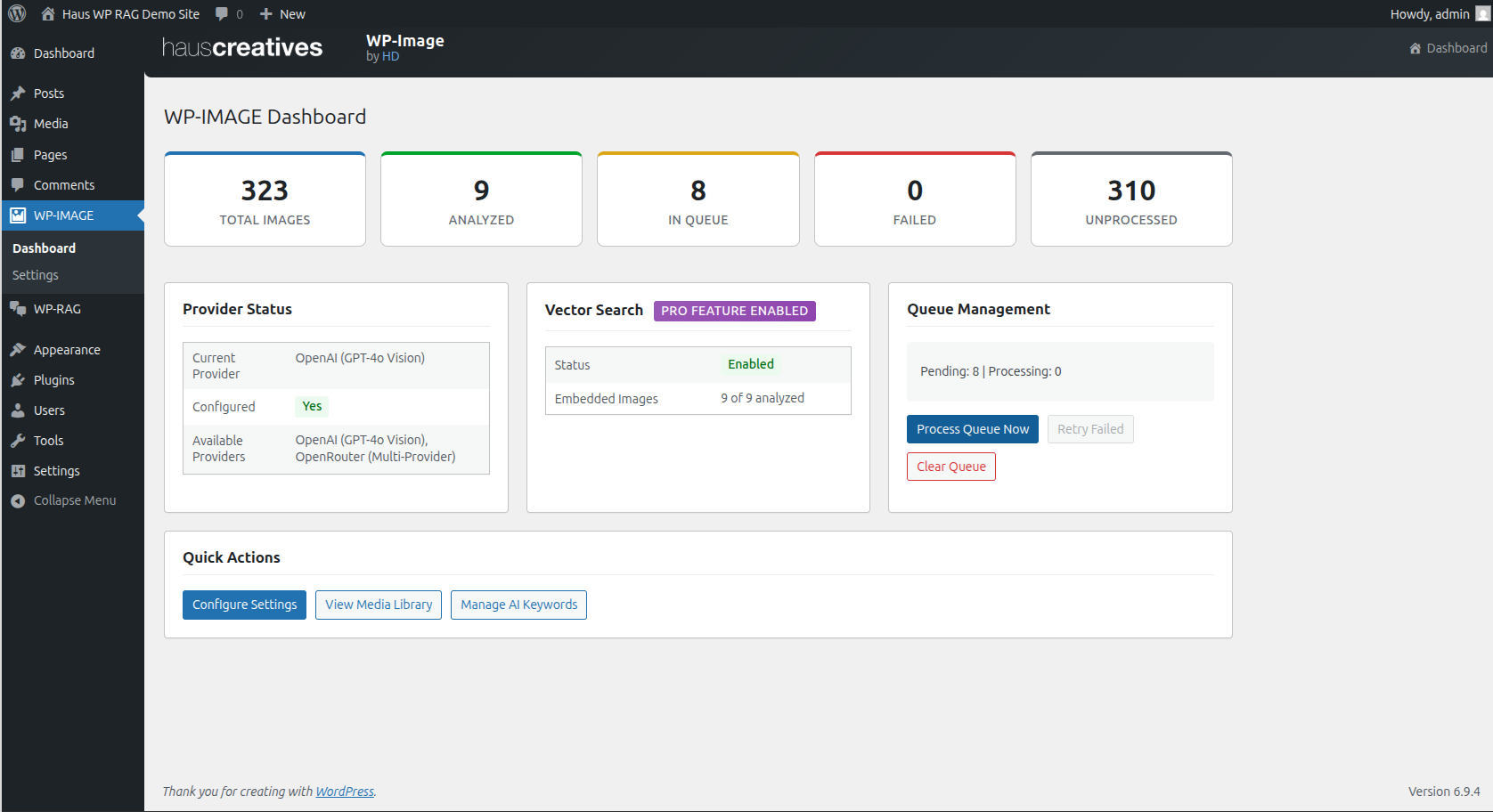
WP-Image provides complete visibility into your image processing queue. Monitor pending, processing, complete, and failed jobs with auto-refresh enabled.
Queue features:
- Real-time status cards (Pending, Processing, Complete, Failed)
- Active queue table with job details
- Track attempts and timestamps per job
- Auto-refresh every 5 seconds (optional)
- Separate pending embeddings tracking
The example shows 9 pending, 1 processing, 37 complete, and 0 failed jobs — giving you full transparency into bulk processing operations.
// ANALYTICS DASHBOARD
Understand your media library. Track processing and insights.
WP-Image includes a dashboard that surfaces key metrics about your media library:
- Total images
- Processed vs unprocessed
- Queue status
- Top tags
- Keyword frequency
See what content themes emerge from your media library and identify patterns you didn't know existed.
// BEYOND THE PLUGIN
When image intelligence has to run
across the whole asset pipeline.
The image analysis in WP-Image is the same pattern we build into bespoke CMS and DAM products: vision models, tagging pipelines, similarity search, queue monitoring, and metadata written back into the tools people already use.
If you need this capability outside WordPress — at infrastructure scale, integrated with an existing DAM, applied to video as well as images, or processing assets in bulk at ingest — we build that as a standalone system.
// When to talk to us
- ›Your asset library lives outside WordPress
- ›You need AI tagging applied to video, not just images
- ›Volume requires a dedicated processing pipeline, not a plugin
- ›You need visual search integrated into an existing DAM or CMS
- ›High-resolution or print-format assets need specialized handling
// LET'S WORK TOGETHER
Make the Media Library searchable by image content.
WP-Image analyzes images as they enter WordPress, writes tags and captions back to the Media Library, and helps teams find related assets without manual cataloging.
Tags. Captions. Visual search. Related assets.
// SAY HELLO
Interested in WP-Image? Reach us at hi@hauscreatives.com
// MORE FROM HAUS
More WordPress plugins
Built for teams that need more than what the plugin directory offers.
View All WordPress Plugins →